
Service Connections
Curatarr connects to your homelab media infrastructure to aggregate library inventory and playback telemetry.
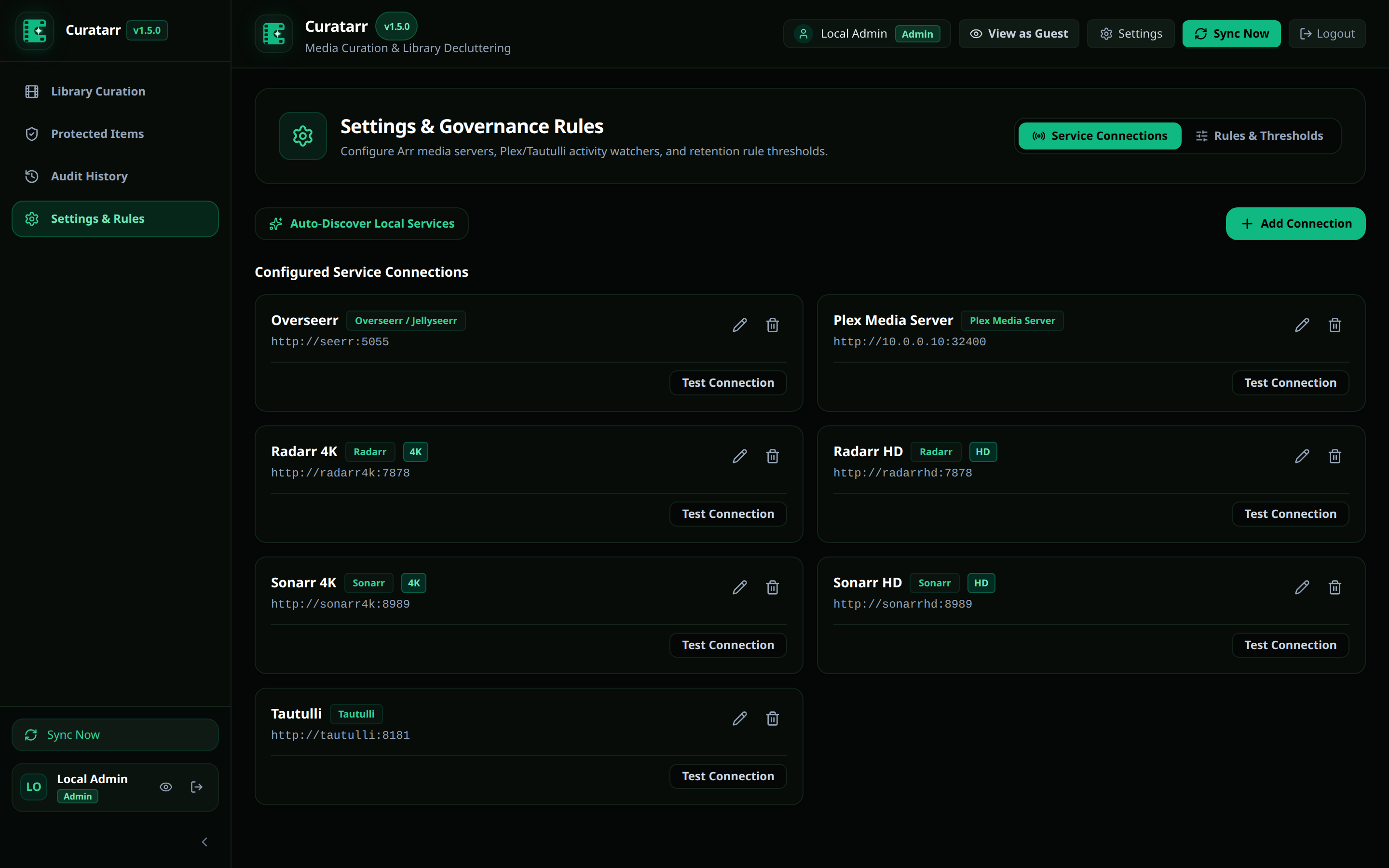
Settings Organization
Settings in Curatarr are organized into four dedicated management tabs:
- Plex & Auth: Server binding status, machine identifier, Plex.tv resource re-scan, and authentication enforcement.
- Arr Connections: Multi-instance Radarr and Sonarr endpoints, Docker network auto-discovery, and optional companion integrations.
- Rules & Thresholds: Category criteria, age limits, and deletion safeguards.
- Users: Plex user directory, role permissions (
Admin/Guest), and account management.
Supported Services
| Service | Protocol | Default Port | Requirement | Description |
|---|---|---|---|---|
| Plex Media Server | HTTP / Token | 32400 | Core | Primary media server, playback activity, and library sections |
| Radarr | REST API v3 | 7878 | Core | Movie collection manager (HD, 4K, Anime instances) |
| Sonarr | REST API v3 | 8989 | Core | TV series collection manager (HD, 4K instances) |
| Tautulli | REST API v2 | 8181 | Optional | Extended historical play activity and per-user duration logs |
| Overseerr / Jellyseerr | REST API v1 | 5055 | Optional | Media request records and requester user correlation |
Standalone Operation
Curatarr works standalone with only Plex Media Server and your Arr instances. Tautulli and Overseerr are completely optional. Without Tautulli, Curatarr correlates viewing history directly from Plex library play counts and timestamps.
Tab 1: Plex & Auth Binding
Curatarr binds directly to your Plex Media Server using an Overseerr-style workflow:
- Automatic Server Discovery: Queries Plex.tv using your administrator token to discover all owned and shared servers.
- One-Click Binding: Select your server from the dropdown to automatically fill the server name, machine identifier, and local/remote connection URL.
- Connection Diagnostics: Click Test Connection or Re-scan Plex.tv Servers at any time to verify communication.
- Authentication Toggle: Control whether users must sign in via Plex PIN or access Curatarr as local administrator.
Tab 2: Arr Connections
Manage your download managers and optional companions under Settings -> Arr Connections:
1. Radarr Configuration
- Connection Name: A descriptive name (e.g.,
Radarr 4KorRadarr HD). - Base URL: The network address of Radarr (e.g.
http://radarr:7878orhttp://10.0.0.10:7878). - API Key: Found in Radarr under Settings -> General -> Security -> API Key.
- Quality Profile Tier: Choose
HDor4Kto enable multi-instance badges and targeted pruning.
2. Sonarr Configuration
- Connection Name: E.g.
Sonarr HDorSonarr 4K. - Base URL: The network address of Sonarr (e.g.
http://sonarr:8989). - API Key: Found in Sonarr under Settings -> General -> Security -> API Key.
- Quality Profile Tier: Choose
HD,4K, orAnime.
3. Optional Companion: Tautulli
- Base URL: The network address of Tautulli (e.g.
http://tautulli:8181). - API Key: Found in Tautulli under Settings -> Web Interface -> API Key.
4. Optional Companion: Overseerr / Jellyseerr
- Base URL: The network address of Overseerr (e.g.
http://overseerr:5055). - API Key: Found in Overseerr under Settings -> General -> API Key.
Automatic Docker Discovery
If Curatarr runs in the same Docker network as your media stack, click Auto-Discover Local Services. Curatarr scans the internal bridge network for standard ports (7878, 8989, 8181, 5055) and pre-fills connection fields.
Tab 4: User Management
Manage user permissions in the Users tab:
- Role Assignment: Elevate trusted household users to
Adminor restrict them toGuest(view-only and protection requests). - Plex Identity: View linked Plex IDs, email addresses, and avatars.
- User Removal: Revoke access from obsolete accounts.
Testing & Synchronization
- On each connection card, click Test Connection to confirm network connectivity and authentication.
- Click Sync Now in the top navigation bar or sidebar.
- Curatarr queries all configured instances, downloads posters, calculates storage, correlates watch logs, and populates the catalog.