
Whitelist Protection & Guest Requests
Curatarr includes a whitelist system to prevent specific titles from ever being deleted.
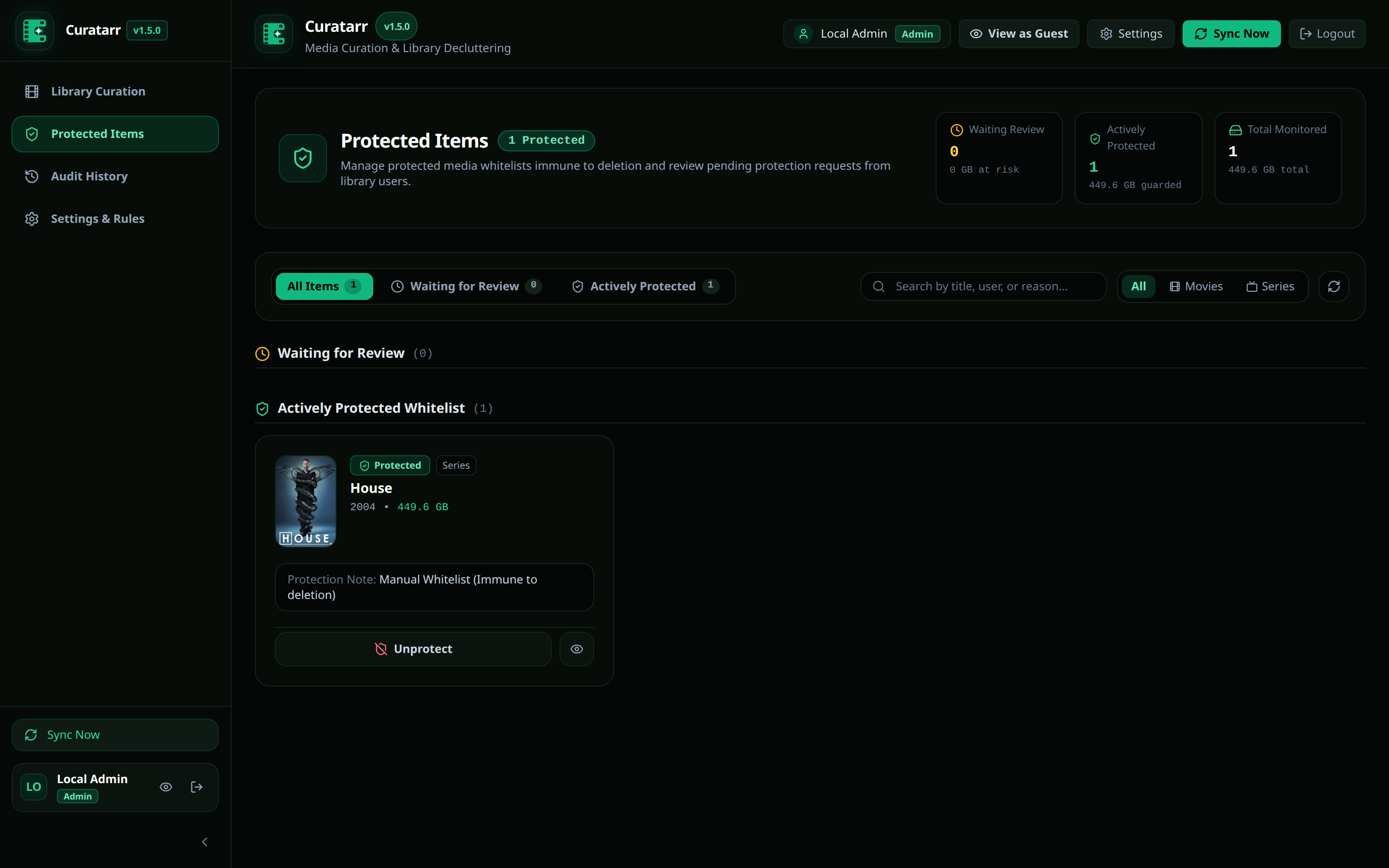
Administrative Whitelist
Administrators can lock any movie or television series:
- Click the Shield icon on any poster in Grid View or Table View.
- Enter an optional reason (for example,
"Family Favorite"or"Permanent Archive"). - The item gains a green shield icon and is immune to all automated and batch pruning actions.
Guest Protection Request Workflow
Family members and household guests may want to keep specific movies that they plan to watch later.
Curatarr provides a built-in guest collaboration workflow:
- Guest Mode: Guest users log in via their Plex account. They can browse the catalog and see their watch history, but have read-only access with all deletion controls hidden.
- Submit Request: On any media item, guests click Ask to Protect This Item and submit a brief note (e.g.,
"Watching next week with friends"). - Admin Review Queue:
- In the administrative sidebar, the Protected Items tab displays a notification badge with pending request counts.
- The Waiting for Review tab lists all submitted requests with requester usernames and timestamps.
- Administrators can Approve (which promotes the item to the permanent whitelist) or Dismiss the request.
Overseerr Requester Integration
Curatarr links to Overseerr or Jellyseerr to map who originally requested each title.
- Filter catalog items by My Requests or specific requesters.
- Check requester names directly in the item detail modal before deciding whether to prune or protect a title.