
Safe Pruning & Deletion
Curatarr provides safe, human-in-the-loop deletion mechanics to protect against accidental media loss.
Multi-Instance Pruning Architecture
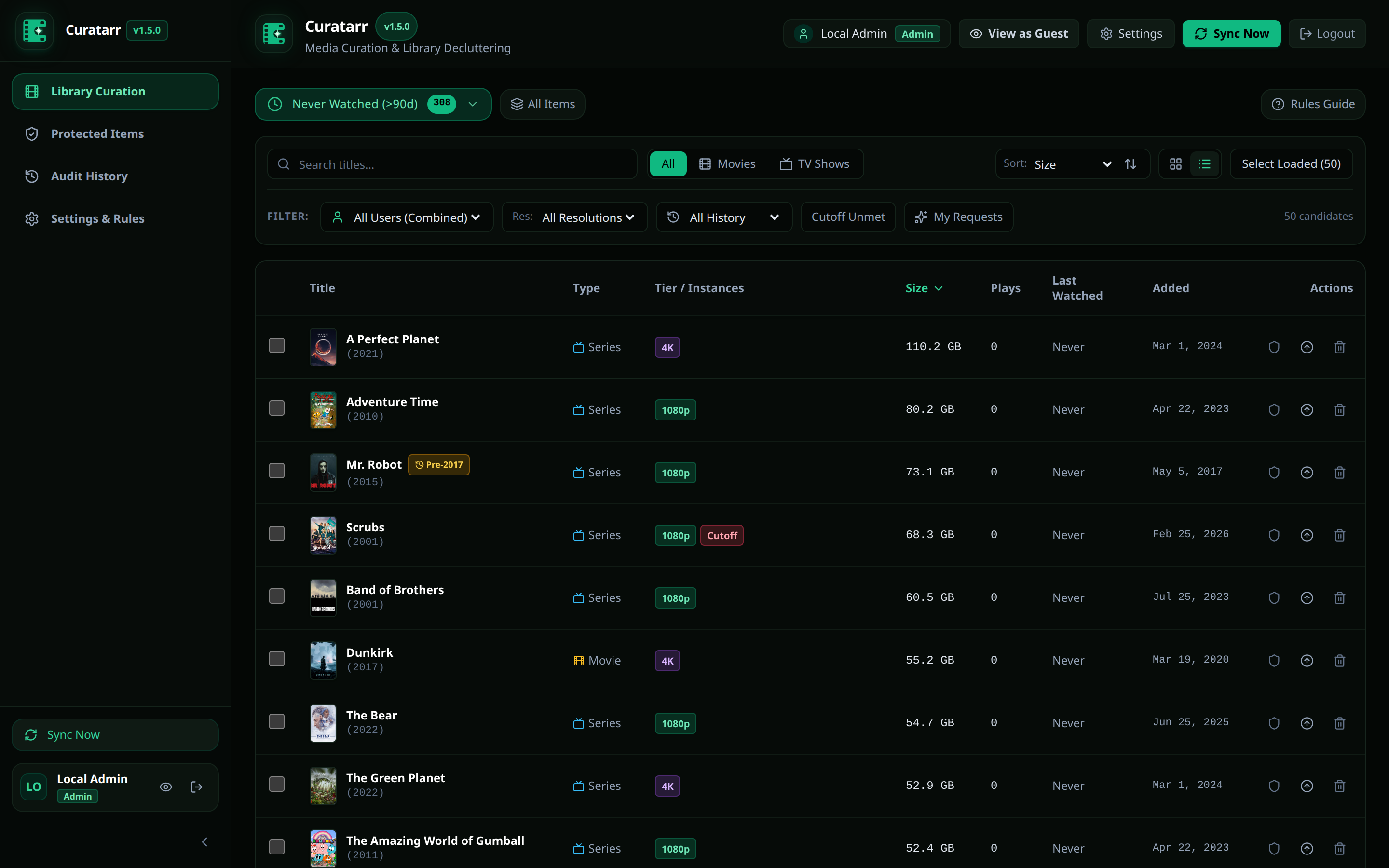
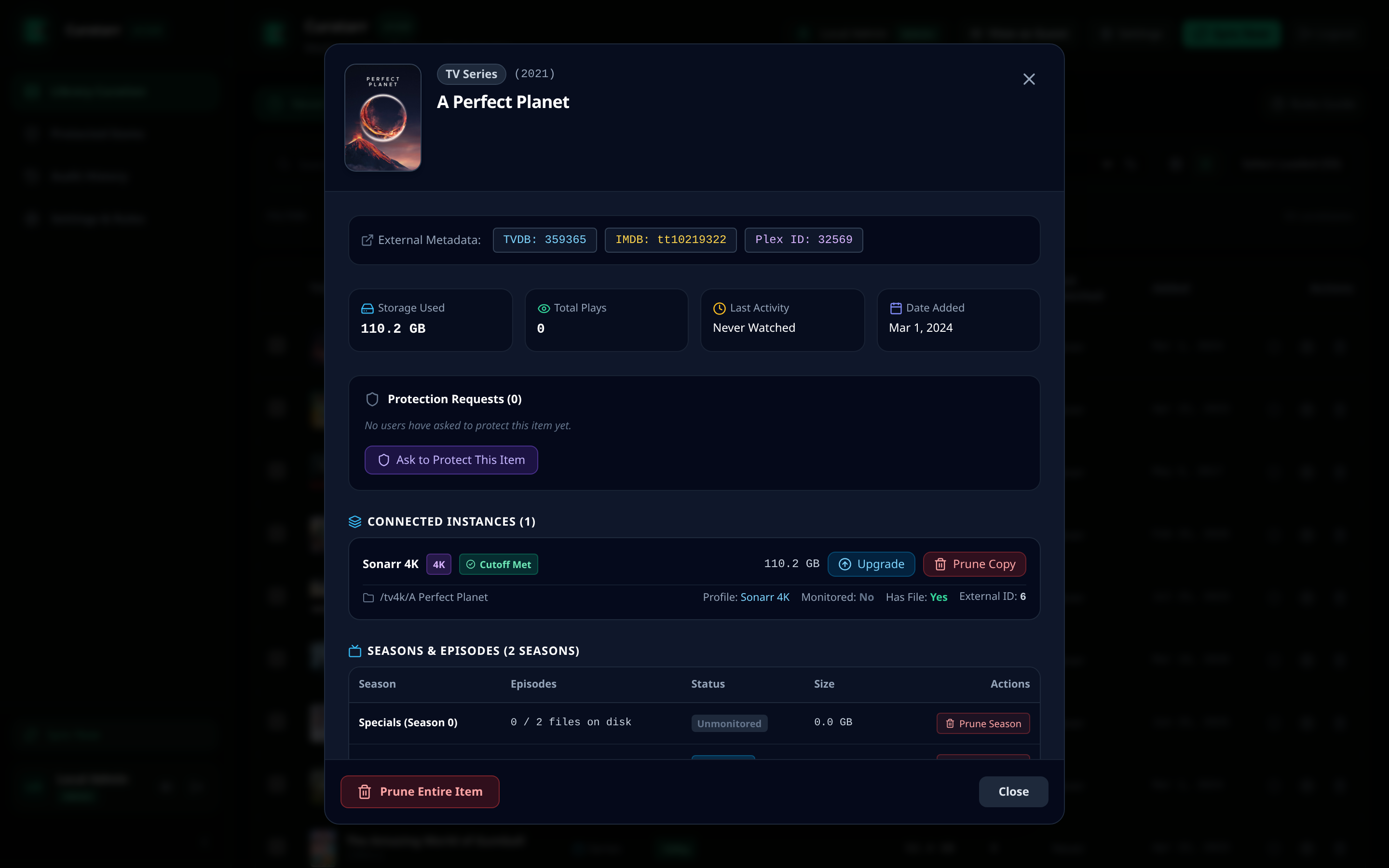
In a multi-instance setup (for example, Radarr HD and Radarr 4K), a title might exist in both libraries. Curatarr allows you to target specific instances:
- Prune All Copies: Deletes the movie from both Radarr HD and Radarr 4K simultaneously.
- Prune Specific Copy: Removes the heavy 4K copy to free 60 GB, while keeping the 1080p copy for household streaming.
Television Season Pruning
For episodic series, you can prune selectively:
- Open the television series in Grid View or click to open the Media Detail Modal.
- Expand the Seasons list.
- Click Prune Season on older, watched seasons (e.g. Season 1 through 3) while retaining the current unwatched season on disk.
Import Exclusion Toggle
When pruning an item, you can select Add to Import Exclusion List.
- When enabled, Curatarr sends an API call to Radarr or Sonarr to add the title's TVDB or TMDB ID to the import exclusion list.
- This prevents automated grabbers (RSS sync, interactive search, indexers) from re-downloading the deleted item in the future.
Batch Operations
To prune multiple items at once:
- Select items using the checkboxes in Grid View or Table View.
- The Batch Action Bar slides in from the bottom of the screen.
- Review total candidate count and disk space that will be reclaimed.
- Click Prune Selected.
- Enter your administrative confirmation in the confirmation modal.
Forensic Audit Trail
Every deletion is permanently recorded in the forensic audit ledger (curatarr.db table audit_logs).
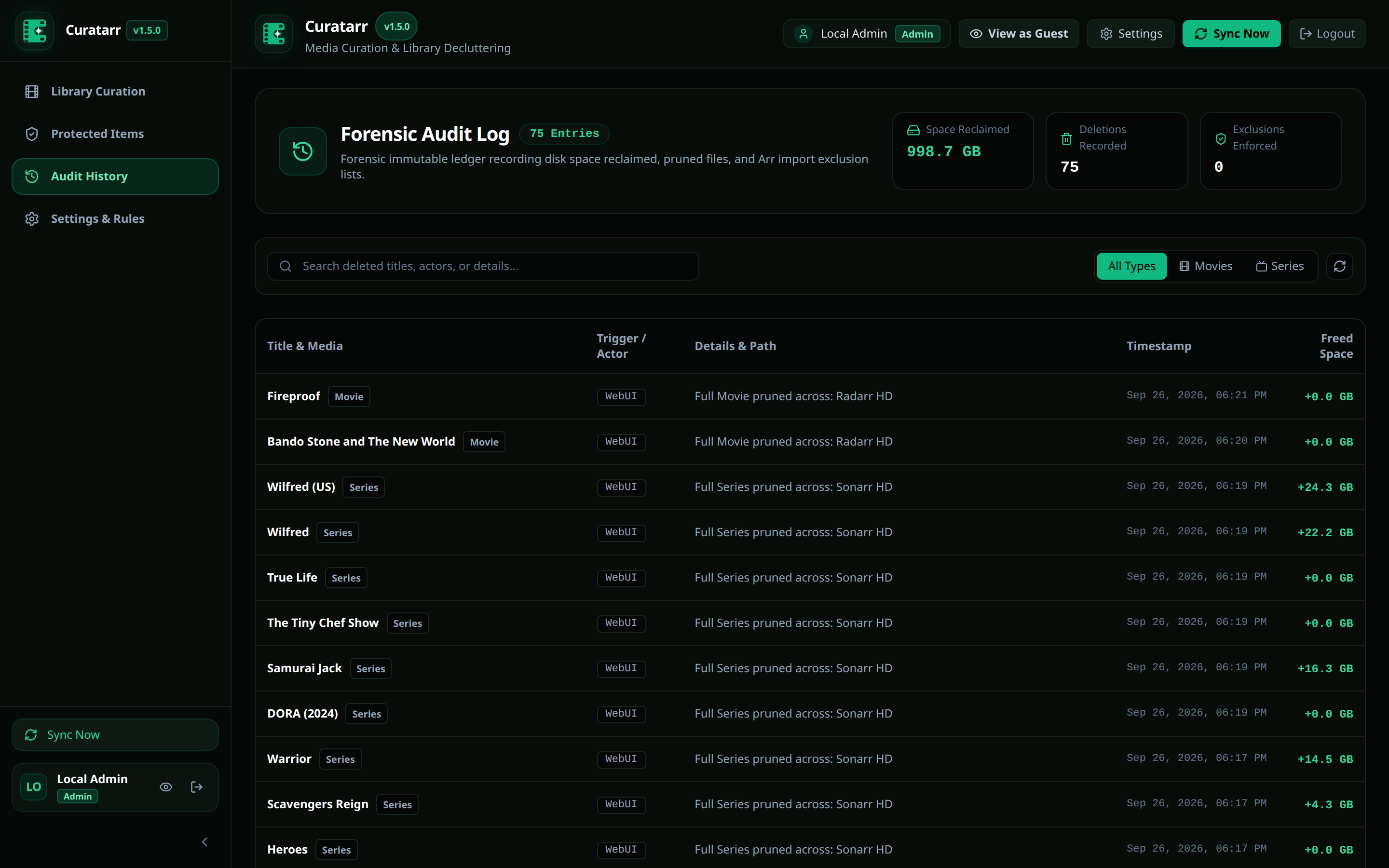
Each audit entry stores:
- Media title and media type (Movie or Series).
- Affected Arr instances.
- Reclaimed bytes.
- Exact disk paths.
- Import exclusion status.
- Triggering actor (User or MCP Agent).
- Timestamp (UTC).