🎯
Meta-Mode Context Optimization
Exposes only search_tools and execute_tool by default. Conserves LLM context tokens and prevents prompt latency across hundreds of tools.
High-performance C# gateway connecting AI assistants and IDEs to your tools with zero-trust security, per-user OAuth delegation, and sub-millisecond semantic search.

The Model Context Protocol (MCP) allows AI assistants to run external tools and read data sources.
When you connect an AI assistant directly to many individual tools, you face common operational problems:
Model Context Gateway (MCG) solves these problems:
/sse): Connect your AI assistant to a single gateway URL. MCG routes requests to the correct backend tool.search_tools and execute_tool. The AI finds tools dynamically and invokes them on demand.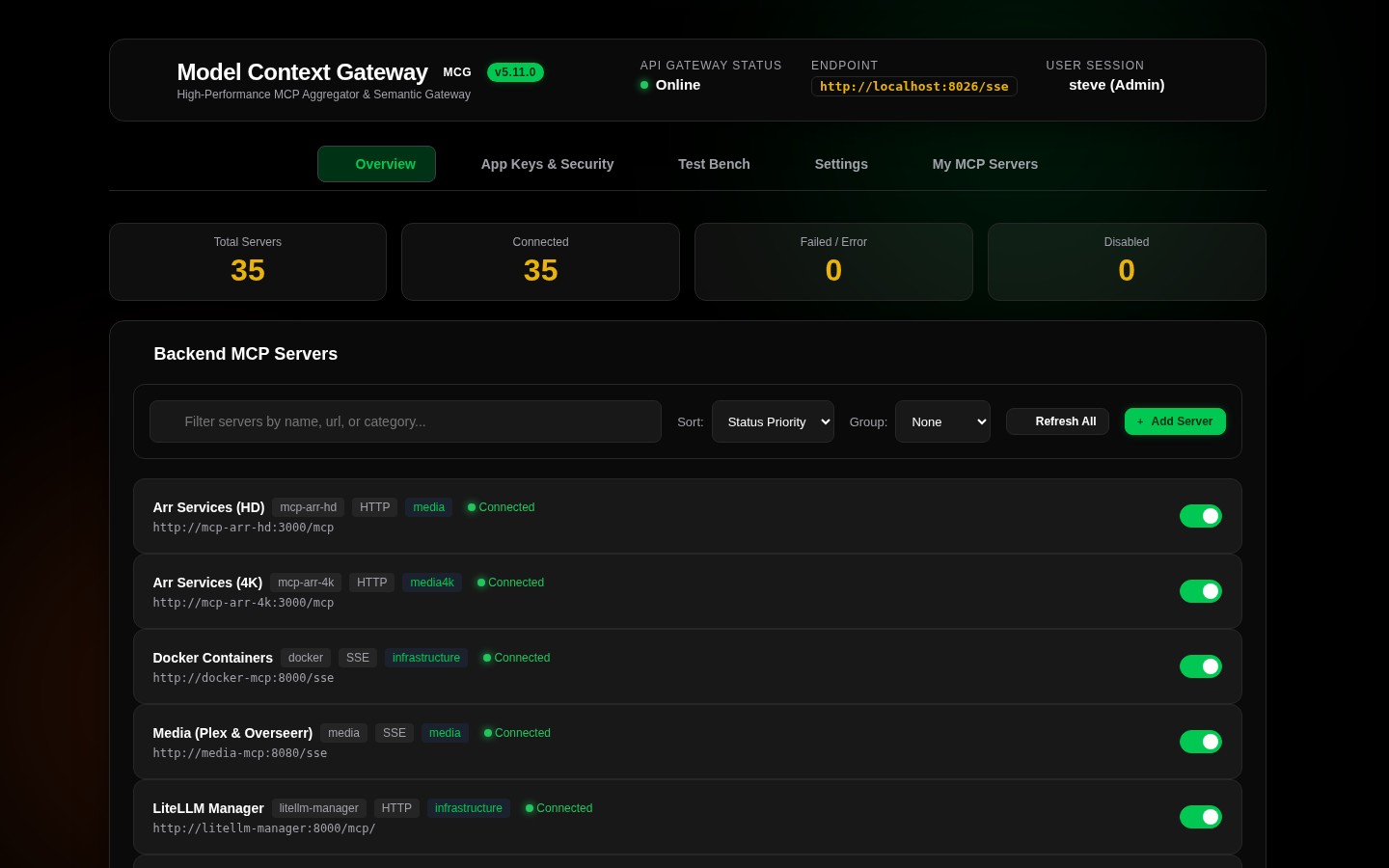
Run the gateway container with zero required initial configuration. On first boot, the gateway automatically generates a 256-bit AES Master Key in ./data/.master.key and initializes a secure SQLite database:
docker run -d \
  --name mcg \
  --restart unless-stopped \
  -p 8080:8080 \
  -v $(pwd)/data:/app/data \
  -v /var/run/docker.sock:/var/run/docker.sock \
ghcr.io/spelech/model-context-gateway:latestservices:
mcg:
image: ghcr.io/spelech/model-context-gateway:latest
container_name: mcg
restart: unless-stopped
ports:
- "8080:8080"
volumes:
- ./data:/app/data
- /var/run/docker.sock:/var/run/docker.sock
environment:
- DB_PROVIDER=sqlite
- MCG_ADMIN_KEY=mcp-adm-prod-bootstrap-token-99http://localhost:8080/http://localhost:8080/health → {"status":"healthy","service":"ModelContextGateway","version":"5.17.0"}http://localhost:8080/ssehttp://localhost:8080/admin/sse (or POST /admin / GET /mcg-admin/sse)http://localhost:8080/{targetServerId}Production Docker, Docker Compose, environment settings, and multi-database configurations.
🏠 Single-User & Home-Lab Setup
Fast setup for personal use, home labs, SQLite database, and local AI clients.
🛡️ Authentication Architecture
Active Directory SIDs, OIDC reverse proxy SSO, standalone trust, and AppKey scopes.
🔐 Per-User OAuth & Connected Accounts
Individual user authentication (Google Home, GitHub, Slack), 3LO protocol, encrypted vaulting, and auto-refresh.
Server management, the 10 Admin MCP tools, RBAC policies, and secret provider configuration.
Autonomous agent administration via the mcg-admin skill, control plane tools, and programmatic provisioning.
Interactive dashboard walkthrough, server registration, RBAC management, client setup, and test bench.
Scenario-driven integration recipes for Bearer auth, Custom Headers, Vault, BYOK, and Pass-Through.
Complete enterprise architecture specification, sequence diagrams, component models, and AES encryption pipelines.
🗄️ Database Providers & Data Model
Canonical 12-table ERD, dialect specifications for SQLite, MSSQL, and MySQL, and migration guide.
🔑 AppKey Scopes & Authorization
Scope grammar (*, server:*, category:*, tool:*), evaluation pipeline, least-privilege personas, and token hashing.
🔒 Secret Providers & Key Management
HashiCorp Vault KV v2 JIT renewal, Windows DPAPI, Master Key lifecycle, and secure credential storage.
SSE, HTTP/streamable, subprocess STDIO security policies, environment secret injection, and process isolation.
Living Software Requirements Specification, requirement taxonomy (AUTH, MCP, SEC, GUARD), and test matrix.
⚠️ Troubleshooting & RCA Guide
In-depth root cause analysis and resolution guide covering session lifecycles, cache synchronization, and downstreams.
🏢 Active Directory & RBAC Guide
Inbound Windows Kerberos and LDAPS tokenGroups recursive resolution, multi-level group policies, and impersonation.
🌐 OIDC & SSO Reverse Proxy Guide
External JWT validation, trusted proxy header SSO, multi-level claims authorization, and RFC 8693 token exchange.
🎯 Downstream Auth & Delegation Guide
Seven credential delegation patterns, RLS identity forwarding, token exchange, and mixing guardrails.
claude_desktop_config.json) {
"mcpServers": {
"mcg": {
"command": "npx",
"args": ["-y", "@modelcontextprotocol/client-sse", "http://localhost:8080/sse"]
}
}
}{
"mcpServers": {
"mcg-admin": {
"command": "npx",
"args": ["-y", "@modelcontextprotocol/client-sse", "http://localhost:8080/admin"]
}
}
}mcp.json / cline_mcp_settings.json) {
"mcpServers": {
"mcg": {
"url": "http://localhost:8080/sse",
"headers": {
"Authorization": "Bearer mcp-usr-my-developer-token-123"
}
}
}
}All features, security guardrails, and authentication flows are validated across automated test suites:
ModelContextGateway.Tests)frontend/src/test)frontend/e2e)dotnet run --project scripts/CatalogGenerator -- --verify-only (SRS Catalog)