03. RBAC, Security & Access Control Policies
The Model Context Gateway (MCG) enforces multi-stage Role-Based Access Control (RBAC), multi-provider identity resolution, explicit deny safety barriers, user quota limits, and cryptographic AppKey scope validation.
🛡️ The 4-Stage Authorization Pipeline
Every request directed at a backend tool, virtual resource, or prompt undergoes rigorous 4-stage pipeline evaluation before execution:
                           4-STAGE AUTHORIZATION PIPELINE

                           +----------------------------+
                           |  Incoming MCP Invocation   |
                           | (Principal, Groups, Scope) |
                           +----------------------------+
                                         |
                                         v
                      +--------------------------------------+
                      |  Stage 1: Explicit Deny Evaluation   |
                      |  Is any principal group in Denied?   |
                      +--------------------------------------+
                                  |              |
                              YES |              | NO
                                  v              v
                           [ 403 Forbidden ]  +--------------------------------------+
                                              |  Stage 2: Explicit Allow Evaluation  |
                                              |  Is any principal group in Allowed?  |
                                              +--------------------------------------+
                                                          |              |
                                                      YES |              | NO
                                                          v              v
                                           +-----------------------------------+
                                           | Stage 3: AppKey Scope Evaluation  |
                                           | Does AppKey scope grant access?   |
                                           +-----------------------------------+
                                                          |              |
                                                      YES |              | NO
                                                          v              v
                                                   [ Authorized ]  +-----------------------------------+
                                                                   | Stage 4: Default Policy Fallback  |
                                                                   | Is DefaultAllow enabled on server?|
                                                                   +-----------------------------------+
                                                                               |              |
                                                                           YES |              | NO
                                                                               v              v
                                                                        [ Authorized ] [ 403 Forbidden ]
Stage 1: Explicit Deny Rules (Highest Precedence)
- If any of the caller's Active Directory SIDs or OIDC groups match a server's
DeniedGroupslist, the request is immediately rejected (403 Forbidden). - Deny rules always override allow rules or administrative scopes.
Stage 2: Explicit Allow Rules
- If any of the caller's groups match a server's
AllowedGroupslist, the request passes group-level checks and advances to scope verification.
Stage 3: AppKey Scope Verification
- When authenticating via an AppKey, the router verifies whether the requested action is permitted by the key's scopes (
*,all,admin,category:<name>,server:<id>,tool:<name>,resource:<uri>,prompt:<name>).
Stage 4: Default Policy Fallback
- If no explicit group policy matches, the router checks the server's
DefaultAllowflag. IfDefaultAllowisfalse, the request is rejected by default (fail-closed security).
👥 Pluggable Identity Providers
The router determines the caller's identity and group claims through the IIdentityProvider interface:
graph TD
    Client[Incoming Request] --> AuthRouter{Auth Method}

    AuthRouter -->|Reverse Proxy SSO| OIDC[OidcHeader Provider]
    AuthRouter -->|Windows Kerberos/NTLM| AD[ActiveDirectory Provider]
    AuthRouter -->|X-App-Key Header| AppKey[AppKey Provider]
    AuthRouter -->|Bearer Token| OAuth[OpenIddict OAuth2]

    OIDC --> Context[Security Context: Principal + Groups]
    AD --> Context
    AppKey --> Context
    OAuth --> Context

    Context --> Pipeline[4-Stage Authorization Pipeline]
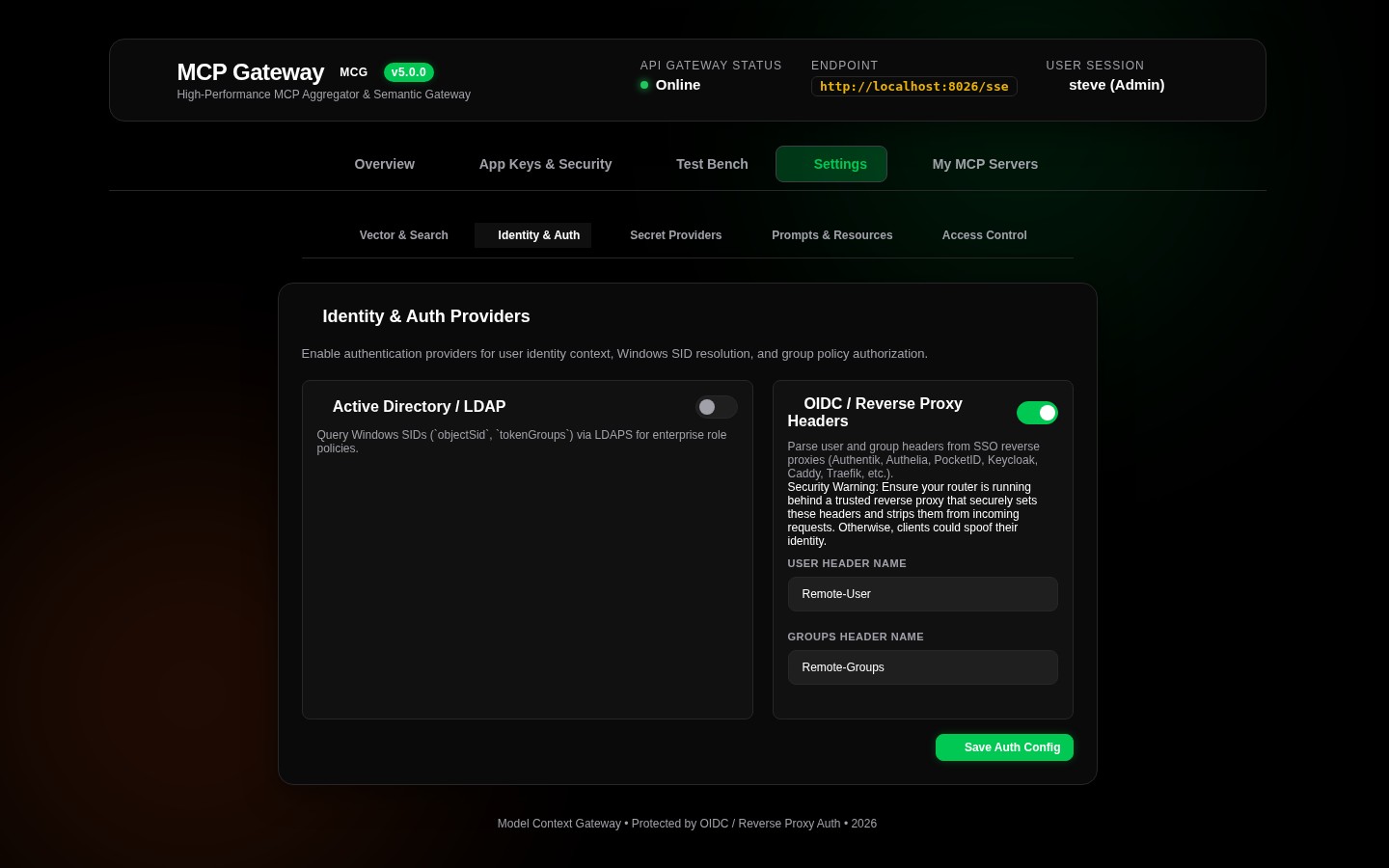
1. Reverse Proxy SSO Headers (OidcHeader)
- Integrates with identity proxies such as Authentik, Authelia, PocketID, Keycloak, or Traefik/Caddy/Nginx.
- Inspects standard forward-auth headers:
Remote-User: Username or UPN (e.g.admin).Remote-Groups: Comma-delimited list of group claims (e.g.full_admin, engineering, devops).Remote-Email: User email address.Remote-Name: Full display name.
2. Active Directory Windows SIDs (ActiveDirectory)
- Integrates directly with Windows Domain Controllers and Active Directory.
- Resolves Windows Kerberos / NTLM Security Identifiers (SIDs) and Active Directory group memberships (e.g.
S-1-5-32-544/ Administrators,Domain Admins).
3. AppKey Authentication (AppKey)
- Connects AI agents and external IDEs using cryptographically hashed SHA-256 tokens (
mcp-...). - Supports granular scope controls (
*,all,admin,category:<name>,server:<id>,tool:<name>,resource:<uri>,prompt:<name>). - Keys carrying
admin,all, or*scopes assignClaimTypes.Role = Administratorto grant administrative access over the management plane and Admin MCP Server.
4. Standalone Mode & Local Network Authorization
- Active when no external IDP (Active Directory LDAP or OIDC SSO) is configured.
- Evaluates client IP address against
Admin:StandaloneAllowedNetworks(defaults to loopback127.0.0.1,::1). - Administrators can configure local LAN CIDRs (e.g.
10.0.0.0/8,192.168.0.0/16) or central open mode (0.0.0.0/0) via environment variableAdmin__StandaloneAllowedNetworks__0=10.0.0.0/8. - External non-matching IPs require an Admin AppKey (
mcp-global-admin...).
5. OAuth 2.0 Authorization Server (OpenIddict) & RFC 7591 Dynamic Client Registration
- Built-in OAuth 2.0 authorization server for issuing signed access tokens with standard token lifecycles and scopes.
- Dynamic Client Registration (RFC 7591): Enables AI platforms (e.g. Google Gemini, Slack MCP) to dynamically register client credentials at
/api/register,/connect/register, or/oauth/register. - Isolated
OAuthClientsStorage: Stores client credentials separately from API keys with SHA-256 secret hashing, whitelisted redirect URIs, grant types, and scope constraints. - Rich Web UI Management: View, register, and revoke OAuth applications from the
App Keys & Securitytab under Dynamic Client Registration (RFC 7591).
🎛️ Configuring Access Control & Group Mappings
1. Server Policy Configuration Modal
Click Policy on any server card on the Overview dashboard:
- Allowed Groups: Comma-separated group names or SIDs permitted to access this server (e.g.
full_admin, homelab_users). - Denied Groups: Comma-separated group names or SIDs explicitly blocked from accessing this server (e.g.
contractors, guest_users). - Default Behavior: Toggle Allow by Default or Deny by Default.
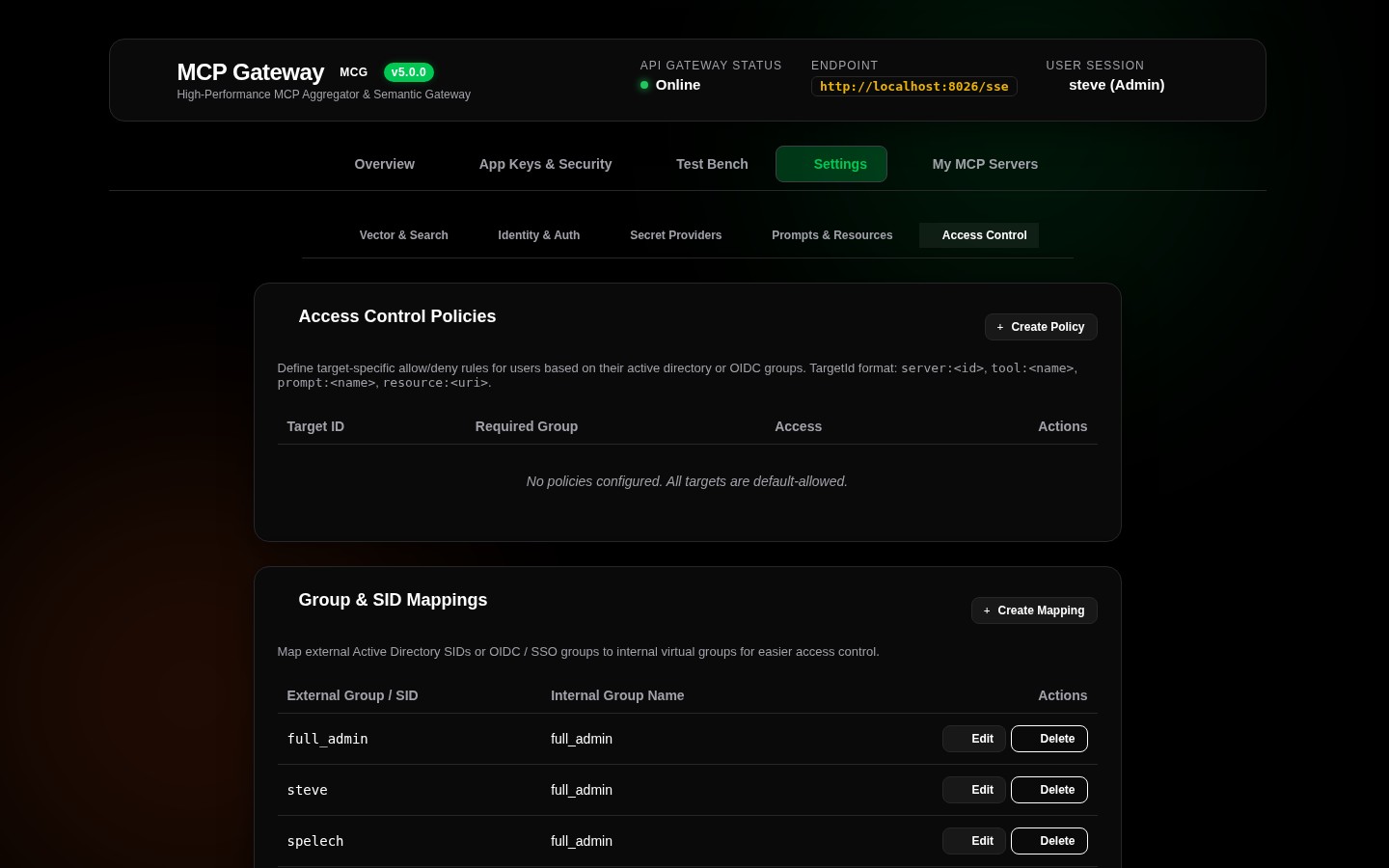
2. Access Control Settings Tab
Navigate to Settings -> Access Control:
* Group Mappings Table: Map external SSO/AD groups to standardized internal roles.
* Server Policies Table: Centralized grid of all server policies with quick inline editing.
📊 User Quotas & Lifecycle Limits
To prevent key sprawl and resource exhaustion across multi-tenant environments, the router provides built-in user quota management:
- Max AppKeys per User: Administrators can enforce custom key generation quotas per user principal (default: 5 keys).
- Key Expiration Lifecycles: Supports mandatory or optional expiration dates (
30 Days,90 Days,1 Year,Never). - Instant Revocation: Administrators and key owners can revoke active AppKeys with immediate effect across all gateway sessions.
- Quota Management UI: Available directly in the
App Keys & Securitytab under User Quota Limits.
🔒 PII Sanitization & Audit Logging
The router features automated payload redaction (PiiSanitizer) paired with stored procedure audit logging (sp_InsertAuditLog):
* Automatic Redaction: Automatically scrubs Bearer tokens, passwords, API keys, and sensitive tokens from audit logs before writing to the database.
* Audit Metadata: Captures timestamp, client identity, target server, tool name, execution duration (ms), response status code, and sanitized payload parameters.
For the underlying database schema definitions of security policies and audit tables (AccessPolicies, ToolAccessPolicies, AdGroups, AuditLogs), see the Database Entity-Relationship Diagram.