02. Server Management & Secret Providers
The Model Context Gateway (MCG) enables seamless registration and management of backend Model Context Protocol (MCP) servers across multiple transport types (SSE, HTTP, STDIO), while providing enterprise-grade secret providers to prevent credential leakage.
[!TIP] Need a recipe for your specific MCP server? Check the MCP Server Authentication & Integration Cookbook for quick-lookup decision matrices and copy-paste examples ("If your server requires Bearer / Custom Header / Basic Auth / Vault / STDIO ➔ Setup is Y").
➕ Registering a New Backend Server
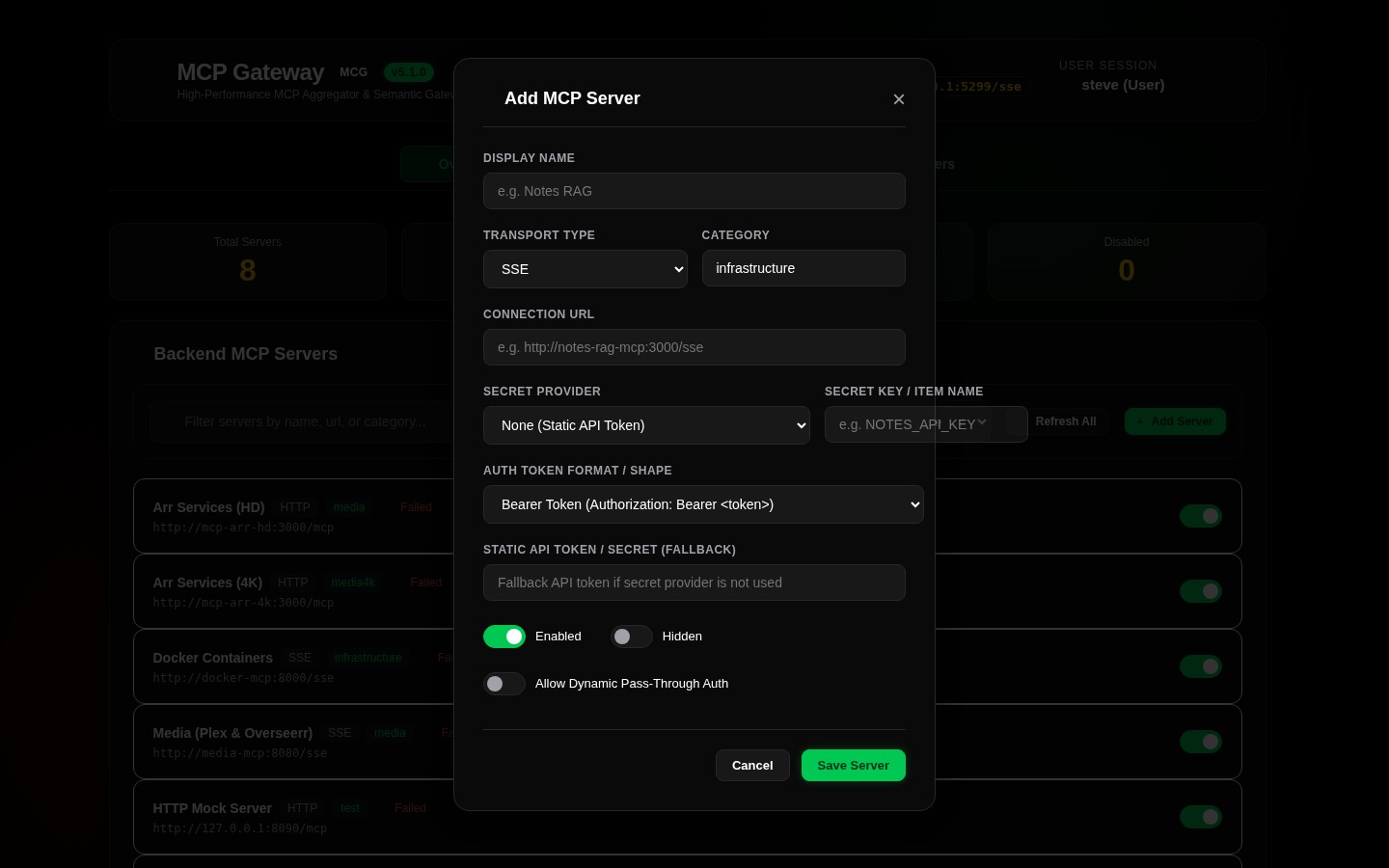
Click the + Add Server button in the dashboard toolbar to launch the Server Registration Modal.
+-------------------------------------------------------------------------------+
| ➕ Add New MCP Server                                                      [X] |
+-------------------------------------------------------------------------------+
| Server Identifier:   [ docker                                              ]  |
| Display Name:        [ Docker Infrastructure Daemon                        ]  |
| Transport Type:      (•) SSE Stream   ( ) HTTP JSON-RPC   ( ) STDIO CLI       |
| Endpoint / Command:  [ http://docker-mcp:8080/sse                          ]  |
| Categories (comma):  [ Infrastructure, DevOps                              ]  |
|                                                                               |
| Secret Provider:     [ HashiCorp Vault (KV v2) ▾                           ]  |
|   Vault Mount:       [ secret                                              ]  |
|   Secret Path:       [ homelab/docker                                      ]  |
|   Secret Field:      [ api_token                                           ]  |
|                                                                               |
| Custom Headers:      [ {"X-Custom-Header": "value"}                        ]  |
|                                                                               |
| [ Cancel ]                                                    [ Save Server ] |
+-------------------------------------------------------------------------------+
Core Configuration Parameters
| Field | Description | Example |
|---|---|---|
Server Identifier (id) |
Unique alphanumeric string used for namespacing tools ({id}__{tool}) and direct routing (/{id}). |
docker, homeassistant, plex |
| Display Name | Human-readable name shown on dashboard cards and test bench selector. | Docker Infrastructure Daemon |
| Transport Type | Communication protocol: SSE, HTTP, or STDIO. |
SSE |
| Endpoint / Command | Full HTTP/SSE URL or binary CLI command. | http://docker-mcp:8080/sse or npx |
| Categories | Comma-separated list of tags for filtering and category-scoped AppKey access. | Infrastructure, Smart Home |
| Secret Provider | Credential resolution backend: None, Environment, Vault, WindowsRegistry. |
Vault |
| Custom Headers | Optional JSON key-value dictionary of HTTP headers injected on downstream requests. | {"Authorization": "Bearer token"} |
🚀 Transport Types & Lifecycle Behaviors
[!TIP] For in-depth architectural specifications, process tree lifecycle policies, and SSE concurrency isolation details, see the canonical Transport Capability & Configuration Guide.
1. Server-Sent Events (SSE)
- Usage: Persistent, stateful duplex stream for real-time notifications and long-running operations.
- Endpoint Pattern:
http://host:port/sse - Session Lifecycle: The router opens a persistent SSE connection to the backend, negotiates session IDs, and forwards bidirectional JSON-RPC messages across client sessions.
2. HTTP JSON-RPC (HTTP / Streamable)
- Usage: Stateless HTTP POST communication using standard JSON-RPC 2.0 payloads.
- Endpoint Pattern:
http://host:port/mcporhttp://host:port/v1/jsonrpc - Session Lifecycle: Independent HTTP requests are dispatched per tool invocation, prompt evaluation, or resource read. Ideal for high-throughput, horizontally scaled microservices.
3. Local Subprocess (STDIO)
- Usage: Spawns local CLI tools or containerized binaries that communicate over standard input/output (
stdin/stdout). - Command Syntax: Binary executable with separated arguments (e.g.
npx -y @modelcontextprotocol/server-filesystem /shared/data). - Zero CLI Secret Leakage: Credentials resolved from secret providers are injected exclusively into
ProcessStartInfo.Environment, ensuring secrets never appear in command-line strings or OS process monitors (ps aux).
🔐 Enterprise Secret Providers
To eliminate hardcoded credentials and plaintext secrets in databases, the router supports 4 pluggable secret resolution strategies:
                  SECRET RESOLUTION ARCHITECTURE

                      +-------------------+
                      | McpServer Record  |
                      | (Encrypted in DB) |
                      +-------------------+
                                |
                                v
               [ SecretProvider Strategy Resolver ]
                                |
        +-----------------------+-----------------------+
        |                       |                       |
        v                       v                       v
+---------------+       +---------------+       +---------------+
|  Environment  |       |   HashiCorp   |       |    Windows    |
|   Variables   |       |  Vault KV v2  |       |   Registry    |
|  (Host / OS)  |       |  (JIT Token)  |       |  (DPAPI Blob) |
+---------------+       +---------------+       +---------------+
1. Direct Static Key (None)
- Credentials stored directly in the server configuration.
- Suitable for local development, public APIs, or un-authenticated internal networks.
2. Environment Variables (Environment / Env)
- Resolves secrets dynamically at runtime from environment variables defined on the router host.
- Configuration: Set
Item Key / Pathto the environment variable name (e.g.HOME_ASSISTANT_LONG_LIVED_TOKENorACTUAL_API_PASSWORD). - Supports
ENV:prefix notation (e.g.env:DOCKER_SECRET_KEY).
3. HashiCorp Vault KV v2 (Vault / HashiCorpVault)
- Dynamic runtime integration with HashiCorp Vault Key-Value Version 2 (
kv-v2) secret engines. - Authentication: AppRole authentication (
roleId+secretId) or direct Vault Token. - Features:
- JIT Token Renewal: Inspects token TTL before every request; automatically re-authenticates if < 5 minutes remain.
- In-Memory Cache: Caches retrieved secrets for 10 minutes with thread-safe invalidation.
- Parameters:
- Secret Mount: Mount path of the KV v2 engine (default:
secret). - Secret Path: Path to the secret document (e.g.
homelab/services/radarr). - Secret Field: Specific key inside the JSON payload (e.g.
api_key).
- Secret Mount: Mount path of the KV v2 engine (default:
4. Windows Registry DPAPI (WindowsRegistry / Registry)
- Resolves credentials from local Windows Registry hives (
HKLMorHKCU). - DPAPI Decryption: Automatically detects and decrypts DPAPI-encrypted byte blobs (
CryptUnprotectData). - Parameters:
- Secret Path: Subkey path (e.g.
SOFTWARE\Homelab\McpSecrets). - Secret Field: Value name (e.g.
PlexToken). - Note: Safely returns
nullwhen running on Linux containers.
👁️ Inspecting Server Capabilities (Inspect Modal)
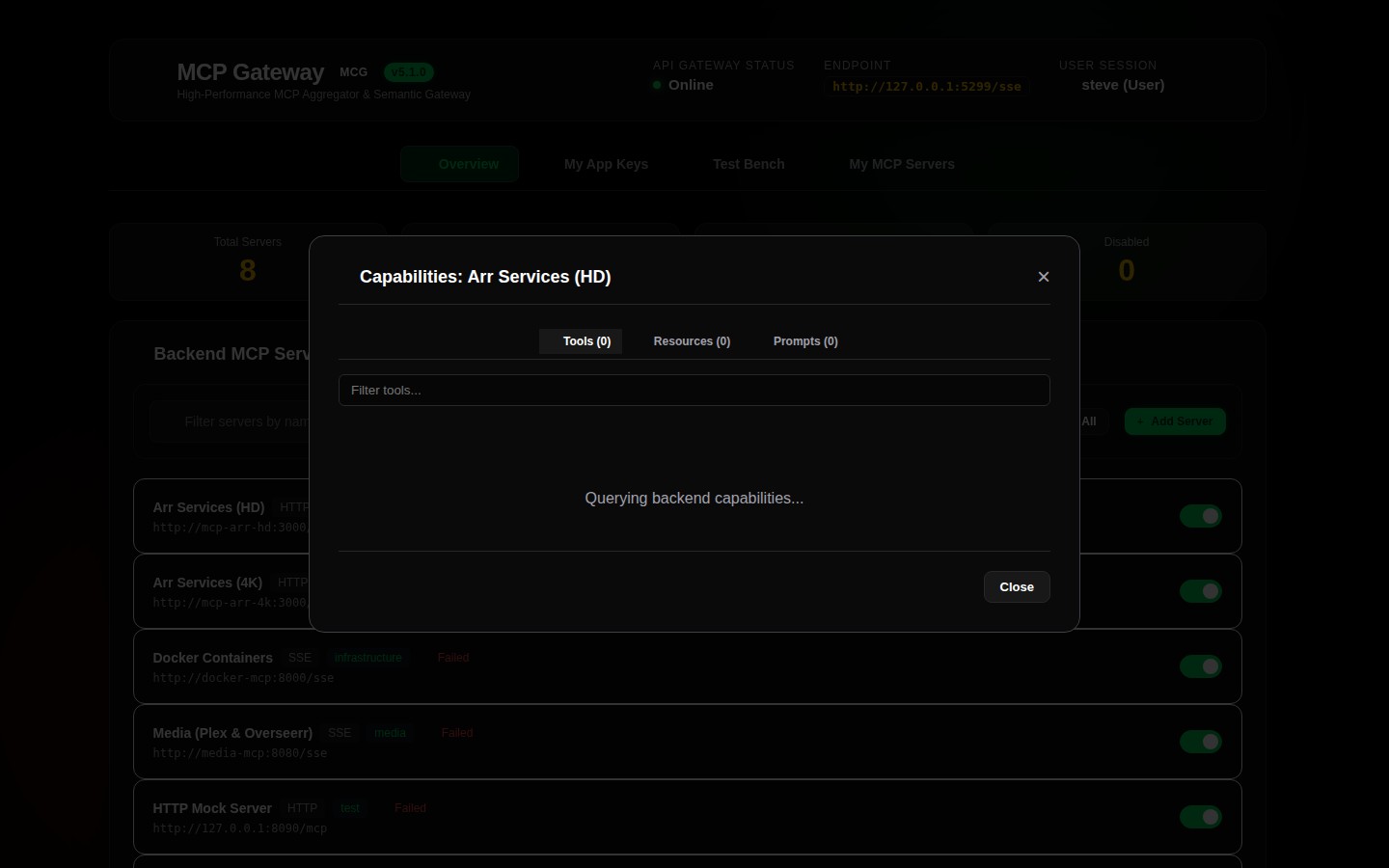
Click Inspect on any server card to open the Server Inspect Modal:
- Tools Tab: Lists all discovered backend tools, their display names, descriptions, and full interactive JSON schema parameter definitions.
- Resources Tab: Displays all exposed virtual resource URIs (e.g.
mcp://docker/containers/list), MIME types, and descriptions. - Prompts Tab: Displays prompt templates with expected argument schemas.
- Raw Schema: View or copy the complete, un-namespaced JSON-RPC discovery payload returned by the downstream server.
📄 Custom Tool JSON Specifications
For downstream services that do not implement the MCP protocol natively, custom tool definitions can be uploaded:
- Click
Settings->Prompts & Resources(orCustom Files). - Click
+ Add Custom File. - Select file type (
Tools,Prompts, orResources), provide a filename, and paste valid JSON:
[
  {
    "name": "network_ping_host",
    "description": "Sends an ICMP ping to a target IP or hostname",
    "parameters": {
      "type": "object",
      "properties": {
        "host": {
          "type": "string",
          "description": "Target hostname or IPv4 address"
        },
        "count": {
          "type": "integer",
          "default": 4,
          "description": "Number of packets to send"
        }
      },
      "required": ["host"]
    }
  }
]
- Save the file to instantly index the custom capabilities into the catalog and vector search engine.