
AppKey Management & Scopes
The Model Context Gateway (MCG) uses cryptographically hashed, scoped AppKeys to authenticate AI coding assistants, IDEs, autonomous agents, and third-party integrations. AppKeys provide secure, least-privilege access without exposing administrative credentials or passing raw SSO headers.
🔑 AppKey Overview & Prefix Taxonomy
AppKeys are high-entropy bearer tokens hashed with SHA-256 prior to database storage. Each key begins with a standardized semantic prefix that defines its authorization tier:
| Prefix | Tier | Intended Usage & Privileges |
|---|---|---|
mcp-adm- | Administrator | Full gateway administrative access, configuration management, and permission to invoke the /admin MCP server. |
mcp-usr- | User / Developer | Scoped personal keys bound to an authenticated user principal and governed by user quota limits. |
mcp-glb- | Global / Shared | Shared system keys for CI/CD pipelines, headless background daemons, or shared service accounts. |
🛠️ Managing App Keys (App Keys & Security Tab)
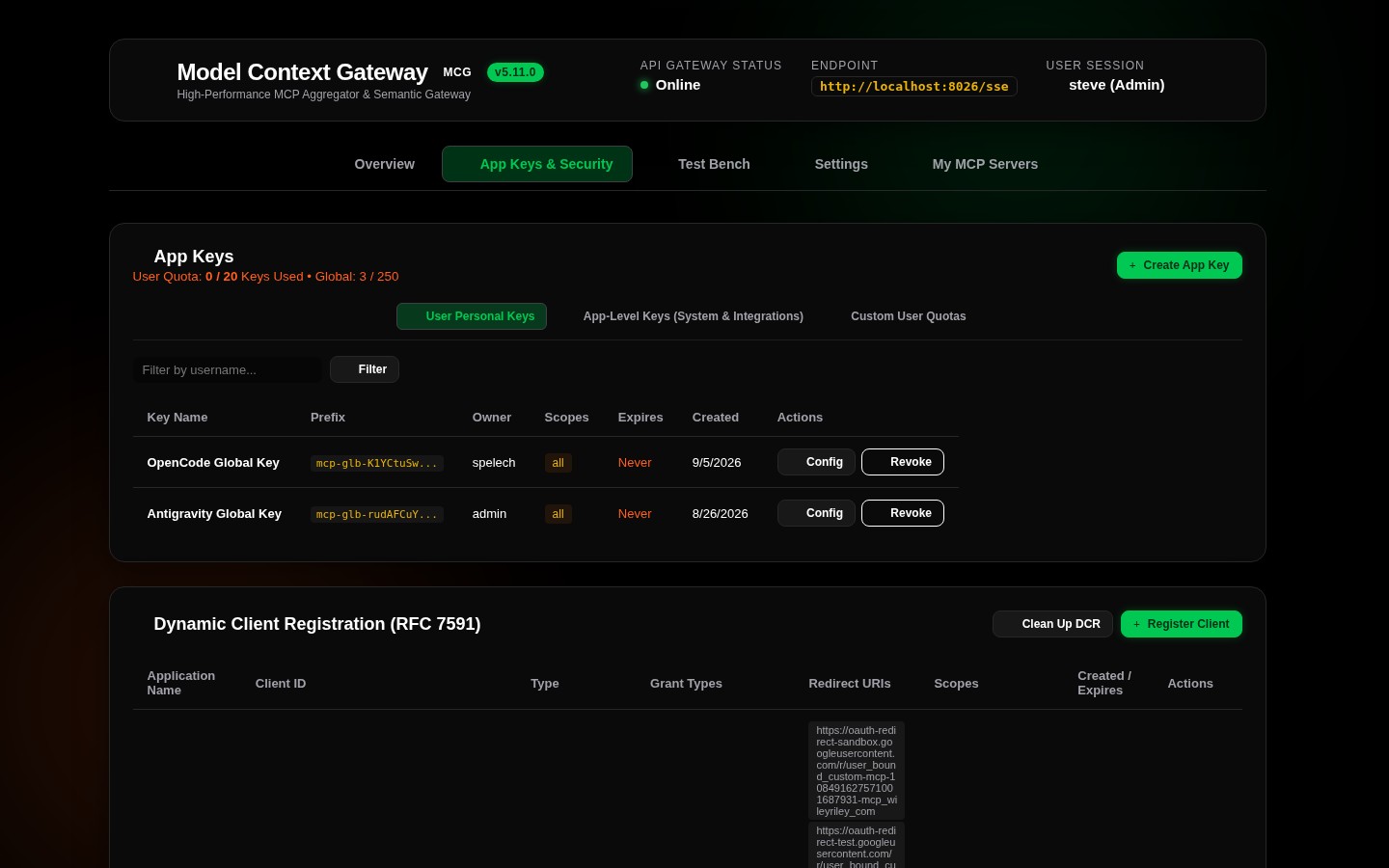
1. Generating an AppKey
- Navigate to the
App Keys & Securitytab in the top navigation bar. - Click
+ Generate App Keyto open the creation modal:
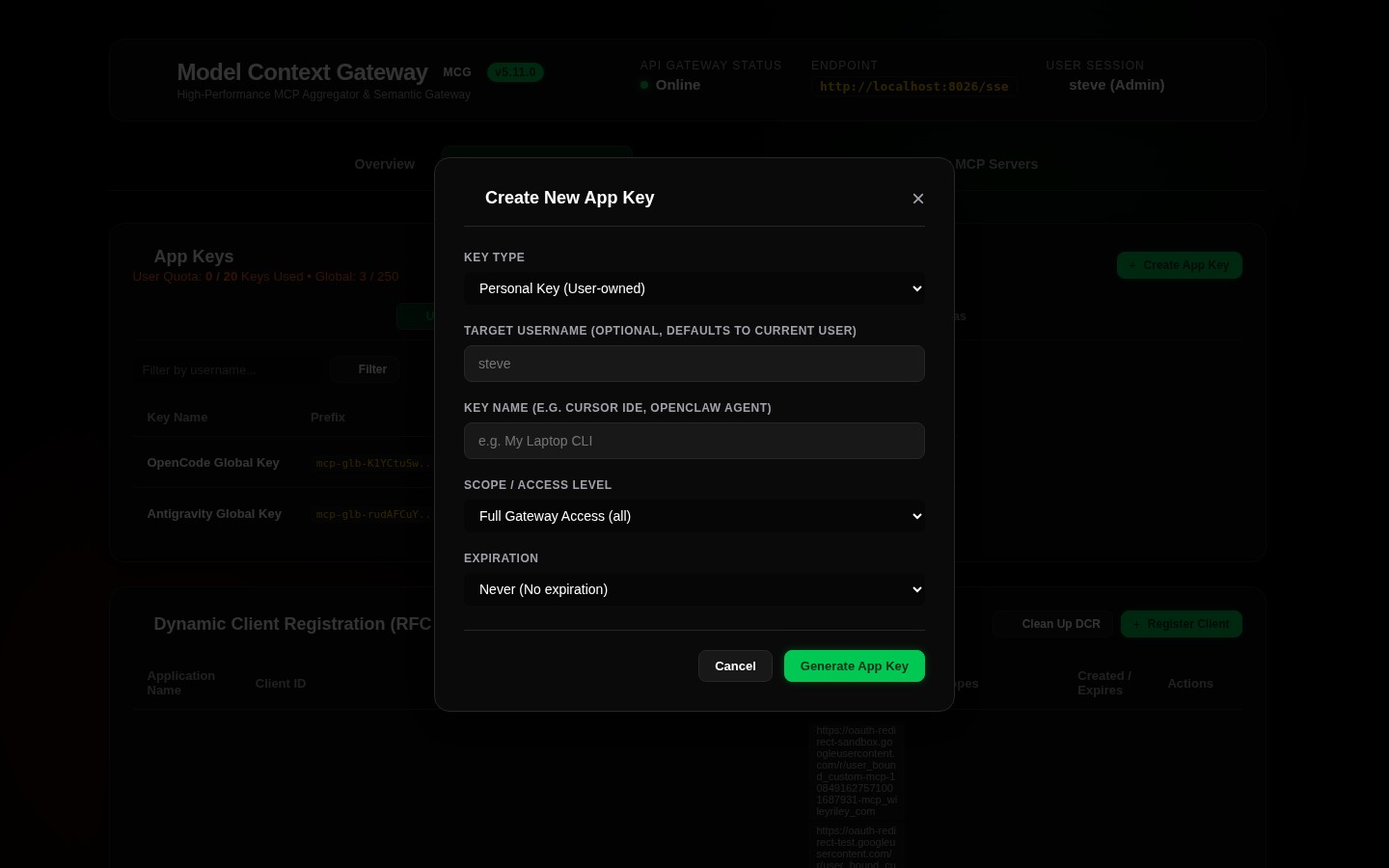
- Configure the key parameters:
- Key Label: Descriptive identifier for the client (e.g.
Cursor IDE - MacBook,Antigravity CLI - Server 10). - Assigned User: User principal name (UPN) associated with the key for RBAC checks, quotas, and audit logs.
- Access Scopes: Granular permissions (see Scope Grammar below). Use
*orallfor unconstrained access. - Expiration: Select a lifecycle duration:
30 Days,90 Days,1 Year, orNever.
- Key Label: Descriptive identifier for the client (e.g.
- Click Generate Key.
- Copy the Plaintext Secret Key: The plaintext key (
mcp-usr-...ormcp-adm-...) is displayed only once. Save it into your client configuration or secrets manager immediately. The gateway persists only the one-way cryptographic SHA-256 hash.
📜 AppKey Scope Grammar & Patterns
TIP
For the complete formal grammar specification, evaluation order, and least-privilege persona recipes, refer to the AppKey Scopes & Authorization Guide. For database schema details (AppKeys table), see the Database Entity-Relationship Diagram.
MCG evaluates AppKey scopes to restrict client capabilities to the minimum set of tools and servers required:
| Scope Pattern | Type | Description | Example |
|---|---|---|---|
*, all | Global | Grants complete access to all backend servers, tools, virtual resources, and prompts. | *, all |
admin | Admin | Grants full gateway administration rights and access to the /admin MCP management server. | admin |
category:<name> | Category | Grants access to all servers tagged with the specified category. | category:smarthome, category:infrastructure |
server:<id> | Server | Grants access to all capabilities of a specific backend server. | server:docker, server:homeassistant |
tool:<name> | Tool | Grants execution rights for a specific namespaced tool. | tool:docker__restart_container, tool:ha__get_state |
resource:<uri> | Resource | Grants read access to a specific virtual resource URI. | resource:mcp://docker/containers/status |
prompt:<name> | Prompt | Grants access to evaluate a specific prompt template. | prompt:notes__summarize_architecture |
Multi-Scope Lists & Combinations
You can assign multiple comma-separated scopes to create composite access profiles. For example:
category:smarthome, server:docker, tool:notes__summarize_architectureThis key authorizes:
- All tools and resources on servers categorized under
smarthome. - All tools and resources exposed by the
dockerbackend server. - The specific tool
notes__summarize_architecturefrom the notes server. - Any attempt to invoke other tools outside these boundaries will be rejected with
403 Forbidden.
📋 Registered Clients Registry (RegisteredClientsCard)
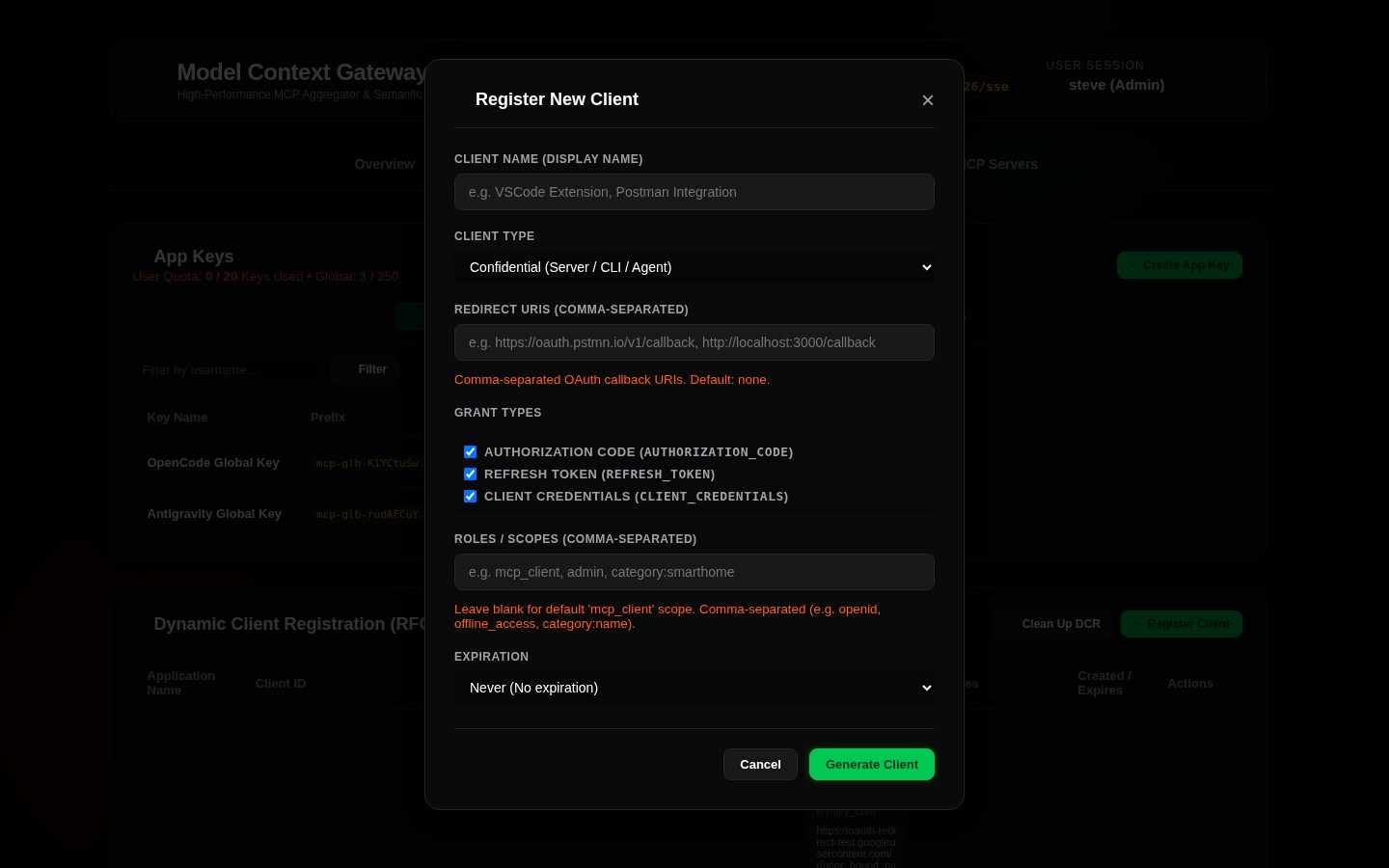
The Registered Clients card in the App Keys & Security view provides real-time visibility into active client connections:
- Client Name & ID: Reported client application name or user-agent (e.g.
Cursor/0.45.0,Antigravity-Agent). - Protocol Version: Negotiated MCP protocol specification version (e.g.
2026-07-28). - Client IP Address: Source IP address of the incoming connection.
- Active Sessions: Count of active concurrent SSE or HTTP streaming sessions.
- Last Seen: Live UTC timestamp of the most recent JSON-RPC activity.
🛡️ Interactive OAuth 2.0 Consent Screen
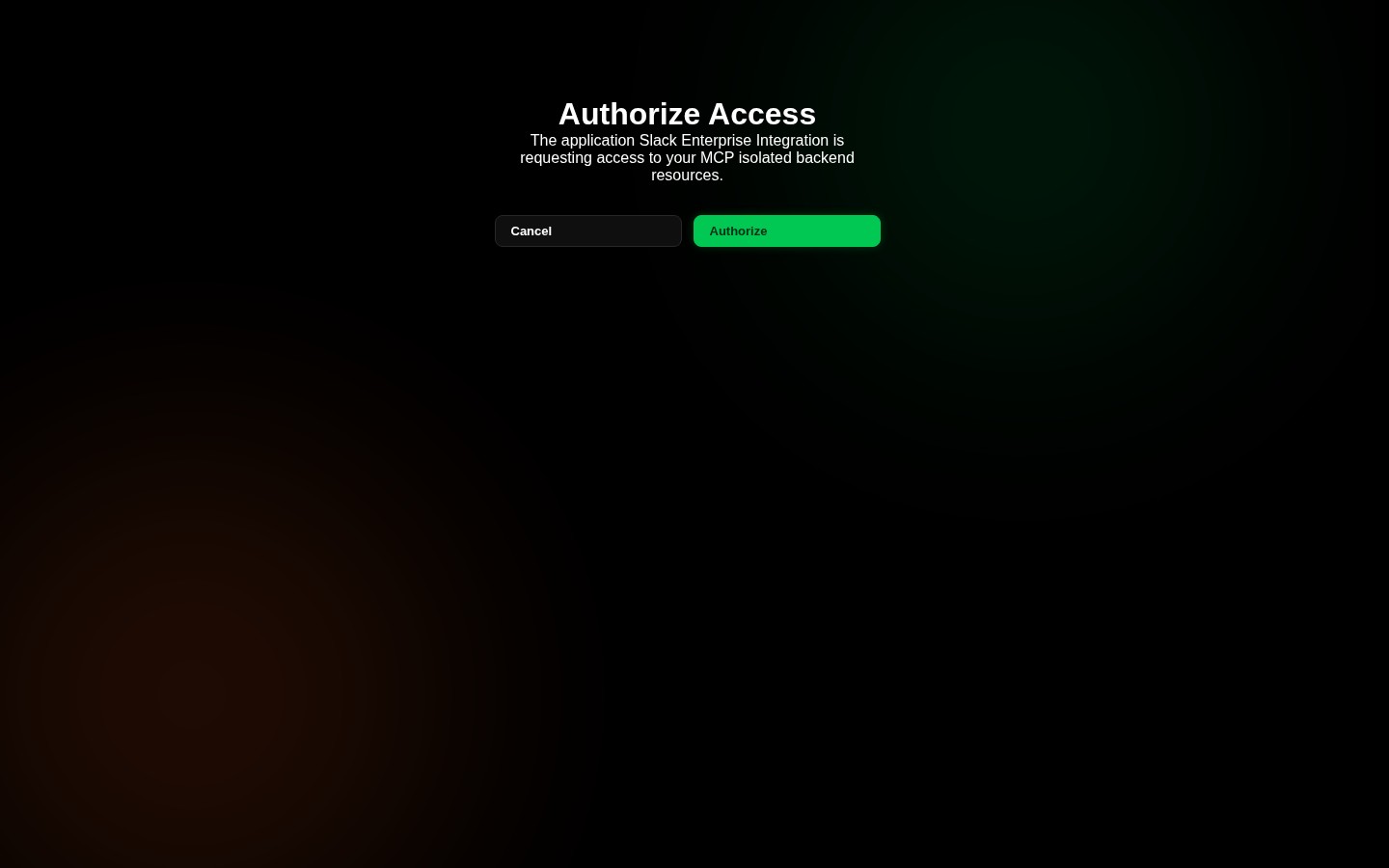
When third-party applications or developer tools initiate the standard OAuth 2.0 Authorization Code flow against /oauth/authorize or /connect/authorize, MCG presents an interactive consent screen at /consent:
- Users inspect the requesting client's identity and description.
- Users review and verify the requested scope boundaries before authorizing.
- Access can be granted or denied in real time with immediate token generation.