
RBAC, Security & Access Control Policies
The Model Context Gateway (MCG) enforces Role-Based Access Control (RBAC) across all MCP operations. It validates caller identities, enforces access policies, governs user key quotas, and evaluates AppKey scope boundaries.
🛡️ The 4-Stage Authorization Pipeline
Every incoming tool call, virtual resource read, and prompt evaluation passes through MCG's strict 4-stage authorization pipeline:
Stage 1: Explicit Deny Rules (Highest Precedence)
- If any caller group or SID matches the server's
DeniedGroupslist, MCG immediately terminates evaluation with403 Forbidden. - Explicit deny rules take precedence over all allow rules, administrator scopes, and default policies.
Stage 2: Explicit Allow Rules
- If any caller group or SID matches the server's
AllowedGroupslist, the caller passes the group authorization gate and proceeds to AppKey scope evaluation.
Stage 3: AppKey Scope Verification
- For requests authenticated via AppKey, the gateway checks if the key scope allows the target operation. Supported scopes include
*,all,admin,category:<name>,server:<id>,tool:<name>,resource:<uri>, andprompt:<name>.
Stage 4: Default Policy Fallback
- When no explicit group policy matches, the gateway falls back to the server's
DefaultAllowsetting. IfDefaultAllowisfalse, the request is denied (403 Forbidden).
👥 Pluggable Identity Providers
MCG resolves user identities and security group memberships through modular, pluggable identity providers:
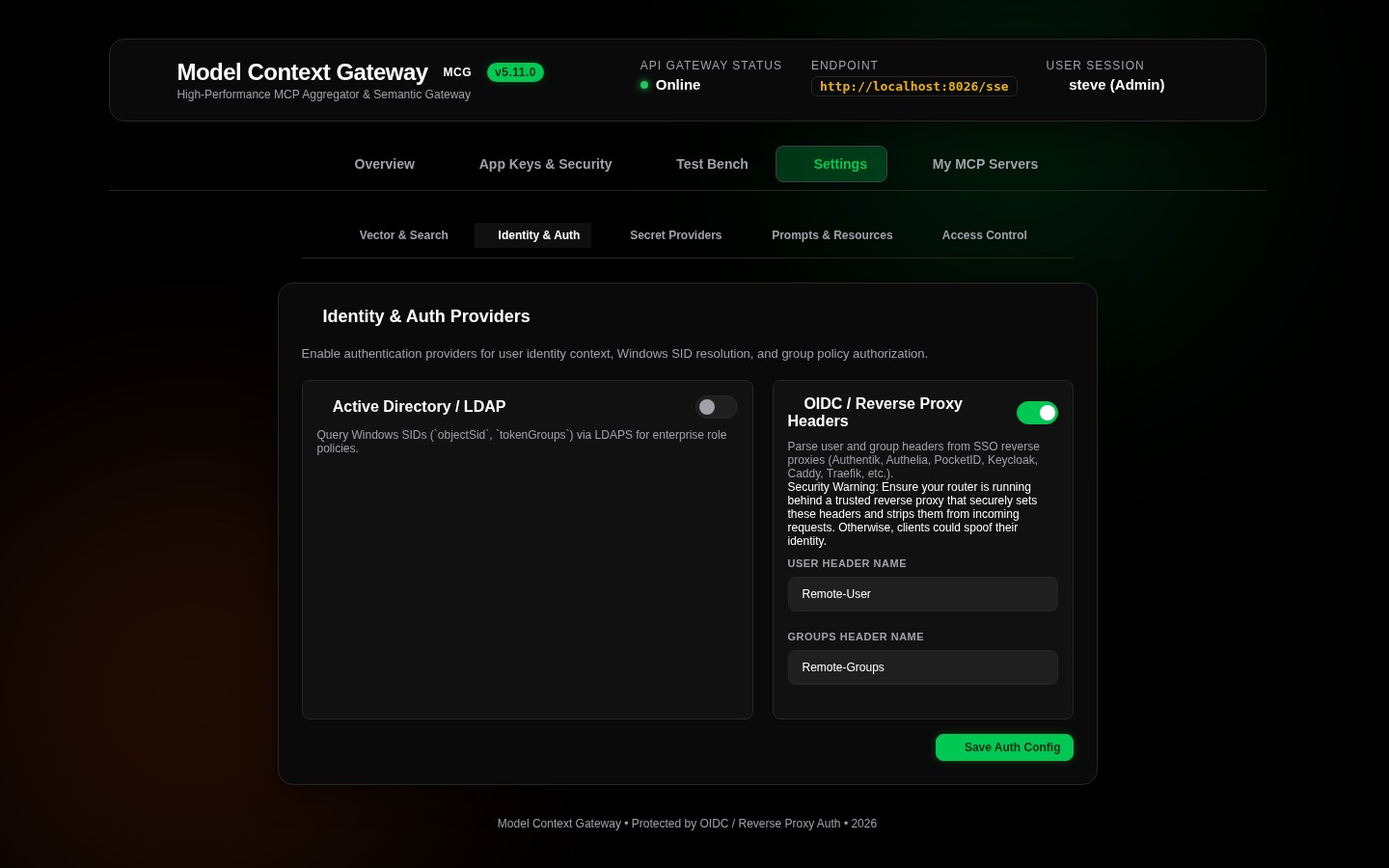
1. Reverse Proxy SSO Headers (OidcHeader)
- Integrates with upstream authentication proxies including Authentik, Authelia, PocketID, Keycloak, Traefik, Caddy, and Nginx.
- Extracts identity claims from standardized HTTP forward-auth headers:
Remote-User: Username or user principal name (e.g.admin,john.doe).Remote-Groups: Comma-separated list of group names or roles (e.g.full_admin, engineering, devops).Remote-Email: User email address.Remote-Name: User full display name.
2. Active Directory Windows SIDs (ActiveDirectory)
- Integrates natively with Windows Domain Controllers and Active Directory environments.
- Extracts Windows Security Identifiers (SIDs) and group memberships from Kerberos or NTLM security tokens (e.g.
S-1-5-32-544orDomain Admins).
3. AppKey Authentication (AppKey)
- Authenticates AI assistants, developer tools, and autonomous agents via SHA-256 bearer tokens (
mcp-...). - Enforces least-privilege access using granular scope strings (
category:<name>,server:<id>,tool:<name>). - Keys possessing
admin,all, or*scopes receive the internalAdministratorrole, enabling access to administrative management APIs and the/adminMCP server.
4. Standalone Mode & Local Network Authorization
- Used when external identity providers are not configured.
- Validates incoming client IP addresses against
Admin:StandaloneAllowedNetworks. Loopback addresses (127.0.0.1,::1) are permitted by default. - Private subnets (e.g.
10.0.0.0/8,192.168.0.0/16) can be authorized via environment variables (Admin__StandaloneAllowedNetworks__0=10.0.0.0/8). - Requests originating outside authorized networks require an administrative AppKey (
mcp-adm-...).
5. OAuth 2.0 Authorization Server (OpenIddict) & RFC 7591 Dynamic Registration
- Built-in OpenID Connect (OIDC) and OAuth 2.0 authorization server providing signed JWT access tokens.
- Dynamic Client Registration (RFC 7591): External AI platforms and tools register dynamically via
/api/register,/connect/register, or/oauth/register. - Credential Isolation: Client secrets are hashed with SHA-256 and stored separately from AppKeys. Validates redirect URIs, allowed grant types, and scopes.
- Consent Management: Presents interactive authorization screens for user approval.
🎛️ Configuring Access Control & Group Mappings
1. Server Policy Configuration Modal
Click Policy on any server card on the Overview dashboard:
- Allowed Groups: Comma-separated group names or Active Directory SIDs permitted to invoke tools on this server (e.g.
full_admin, homelab_users). - Denied Groups: Comma-separated group names or Active Directory SIDs explicitly prohibited from this server (e.g.
contractors, guest_users). - Default Behavior: Choose Allow by Default or Deny by Default when no specific group match occurs.
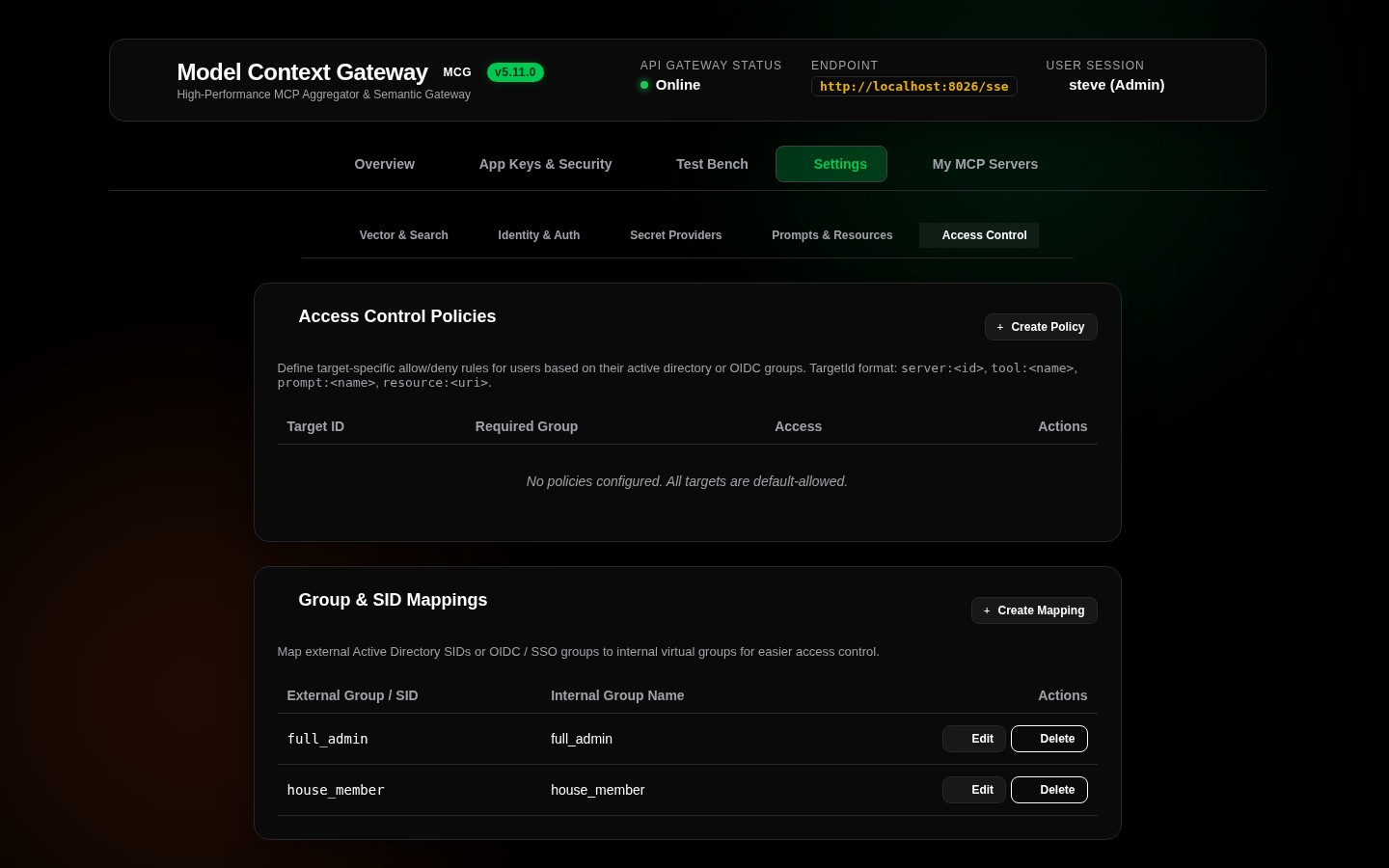
2. Access Control Settings Tab
Navigate to Settings -> Access Control:
- Group Mappings Table: Maps external SSO or Active Directory groups to internal MCG roles (
full_admin,user). - Server Policies Table: Centralized grid displaying all server policies for rapid auditing and batch modification.
📊 User Quotas & Lifecycle Limits
To prevent resource exhaustion and credential sprawl, MCG enforces configurable user quotas:
- Maximum AppKeys per User: Limits how many active AppKeys a single user account may generate (default: 5 keys).
- Key Expiration: Supports enforced expiration lifecycles (
30 Days,90 Days,1 Year, orNever). - Instant Revocation: Administrators and key owners can revoke compromised keys immediately, instantly invalidating active sessions.
- Quota Management: Monitored and configured in the App Keys & Security tab.
🔒 PII Sanitization & Audit Logging
MCG includes built-in security auditing and sanitization:
- Automatic Redaction (
PiiSanitizer): Strips authorization headers, bearer tokens, passwords, and sensitive keys from log entries and audit payloads prior to storage. - Audit Metadata (
sp_InsertAuditLog): Records UTC timestamp, caller identity, target server, tool name, execution duration, HTTP status code, and sanitized arguments.
For database schema specifications and security tables (AccessPolicies, ToolAccessPolicies, AdGroups, AuditLogs), refer to the Database Entity-Relationship Diagram.