
Interactive Test Bench Overview
The Interactive Test Bench (Test Bench tab) is MCG's built-in testing, verification, and diagnostics environment. It allows developers and administrators to execute tools, read virtual resources, evaluate prompt templates, test semantic search ranking, send direct JSON-RPC payloads, and monitor live streaming logs without requiring external AI clients or IDE plugins.
🎛️ Test Bench Layout & Navigation
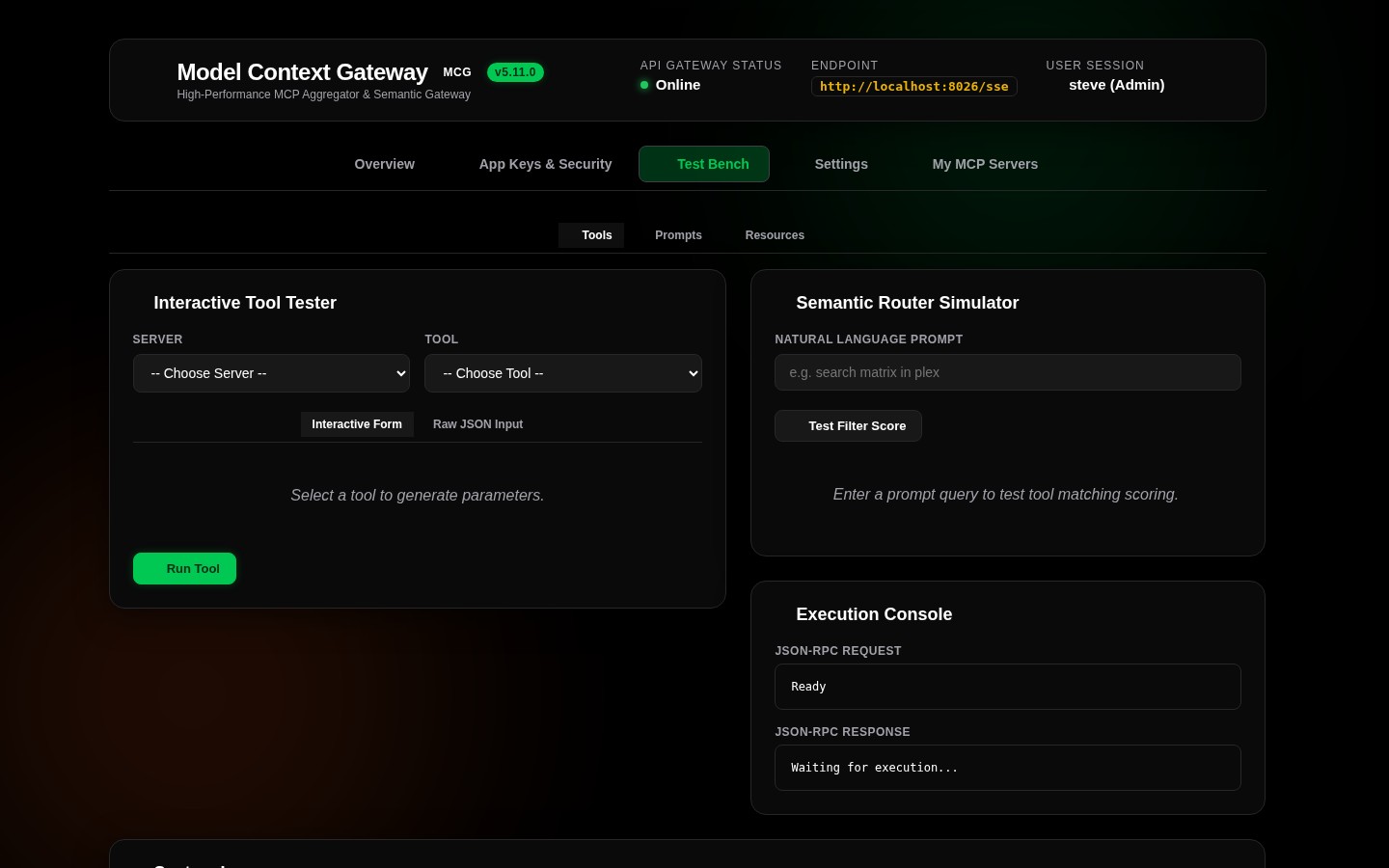
The Test Bench organizes diagnostic operations into six primary tools:
| Test Bench Tab | Diagnostic Function |
|---|---|
| 🛠️ Tools | Dynamic schema-driven form builder and execution tester for all registered tools |
| 📄 Resources | Virtual MCP resource reader (mcp://...) and system information inspector |
| 💬 Prompts | Prompt template argument evaluator and system/user prompt renderer |
| 🧠 Semantic Router | Vector cosine similarity, BM25 lexical search, and tool ranking simulator |
| 💻 Console | Direct JSON-RPC 2.0 command console for low-level protocol testing |
| 📟 Logs | Real-time streaming diagnostic log terminal with PII masking and severity filters |
🧭 Diagnostic Subsystems
| Diagnostic Tool | Subsystem Card | Purpose & Capabilities | Documentation |
|---|---|---|---|
| 🛠️ Tools | ToolTesterCard | Execute any discovered or custom tool directly with schema-generated dynamic form controls or raw JSON. | Tool Execution Tester |
| 📄 Resources | ResourceTesterCard | Inspect and read virtual MCP resources (mcp://...) and system resources (router://status, router://database). | Resources & Prompts |
| 💬 Prompts | PromptTesterCard | Render and validate prompt templates with custom parameters before deploying to AI assistants. | Resources & Prompts |
| 🧠 Semantic Router | SemanticRouterCard | Test natural language query matching, cosine vector similarity, keyword weighting, and tool ranking. | Semantic Router |
| 💻 Console | ConsoleCard | Send raw JSON-RPC 2.0 messages directly to the gateway and inspect downstream responses. | Console & Live Logs |
| 📟 Logs | LogsTerminalCard | Monitor real-time streaming gateway logs with PII redaction, severity filters, and clear controls. | Console & Live Logs |
⚙️ Active Tester Panel Architecture
The Active Tester Panel changes dynamically based on the selected sub-tab:
- Target Selection: Select a server and capability. MCG pulls the cached JSON Schema from memory.
- Dynamic Form Generation: The UI renders input controls for every declared property (text inputs, checkboxes for booleans, number steppers, and JSON object editors).
- Execution Pipeline: Clicking the execution action proxies the call through MCG's authorization engine (
4-stage pipeline), recording latency, HTTP status, and sanitized audit logs. - Live Log Output: The terminal at the bottom of the view updates concurrently, showing the full downstream request cycle in real time.