
System Settings & Vector Embeddings
The Settings View (Settings tab) provides administrative controls for configuring vector search engines, identity and authentication providers, secret backends, custom tool specifications, and enterprise access control rules.
🧭 Settings Sub-Navigation Tabs
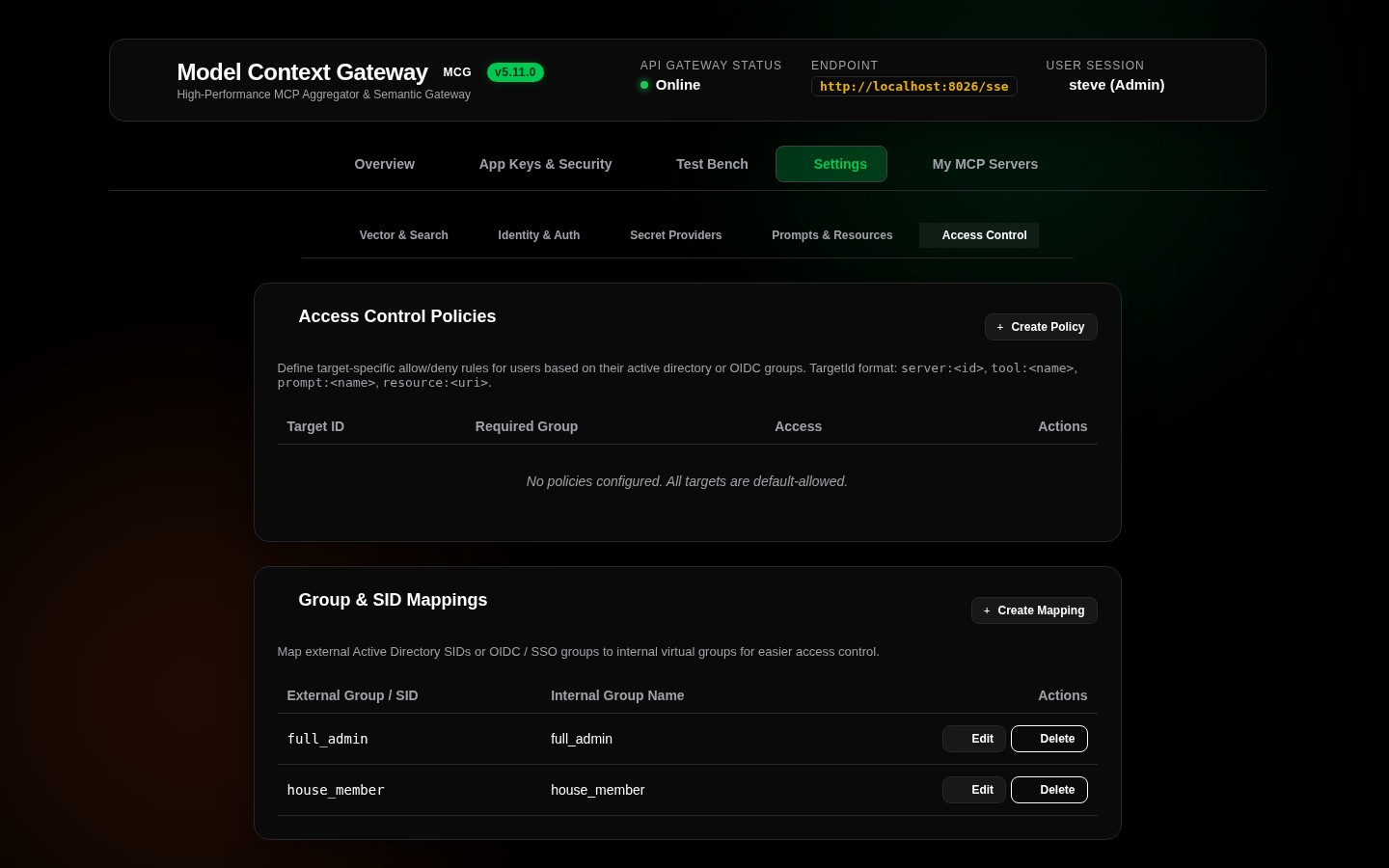
The Settings interface is structured into five operational tabs:
| Settings Tab | Primary Configuration Domain |
|---|---|
| 🧠 Vector & Search | Local ONNX runtime parameters, external OpenAI/Ollama embedding APIs, and SIMD RRF search tuning |
| 🪪 Identity & Auth | Active Directory LDAP bindings, OIDC proxy headers, and OpenIddict OAuth 2.0 provider |
| 🔐 Secret Providers | HashiCorp Vault KV v2 AppRole/Token, Windows DPAPI Registry, and RFC 8693 token exchange |
| 📂 Prompts & Resources | Custom JSON specification file manager, prompt templates, and virtual resource definitions |
| 👥 Access Control | Role-based access policies (ALLOW/DENY) and external Windows SID / AD group mappings |
🧠 Tab 1: Vector & Search Engine (GeneralTab)
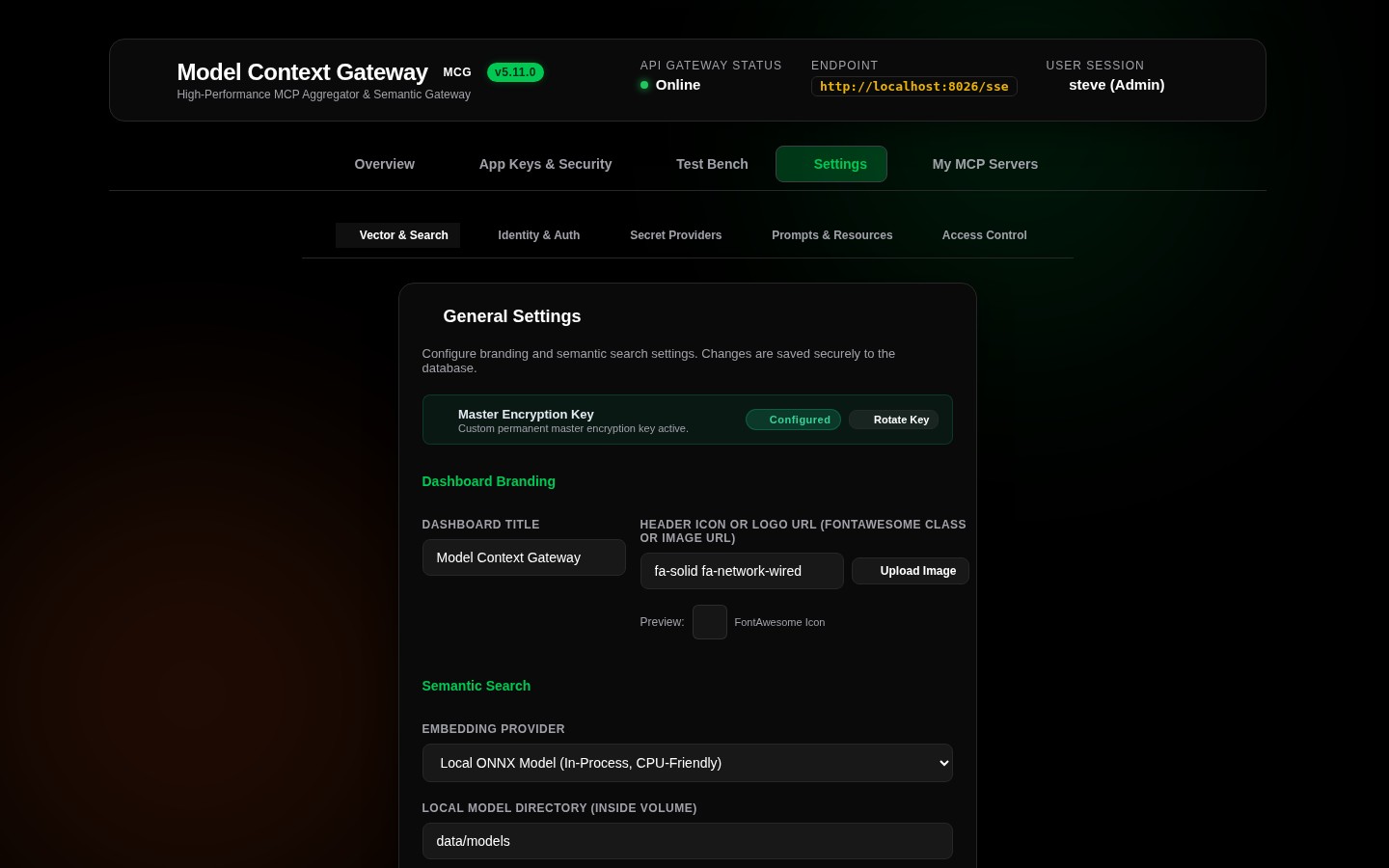
The vector embedding engine powers the Meta-Mode tool discovery function (search_tools). It generates mathematical representations of natural language intents and compares them against tool catalog metadata:
1. Local ONNX Engine (Recommended / Default)
- Model Architecture: Uses the embedded
All-MiniLM-L6-v2transformer model (384-dimensional dense vectors). - Zero External Dependencies: Executes entirely in-process on CPU via
Microsoft.ML.OnnxRuntimeandMicrosoft.ML.Tokenizers. - Data Privacy Guarantee: Tool queries and schema embeddings never leave the local container or host.
- Automatic Provisioning: MCG downloads, validates SHA-256 checksums, and caches model weights in
/data/modelsautomatically.
2. External API Provider (OpenAI / Ollama / LiteLLM)
- Usage: Offloads embedding generation to remote cloud APIs or self-hosted GPU inference clusters via
IEmbeddingProvider. - Supported Backends: OpenAI (
text-embedding-3-small,text-embedding-ada-002), Azure OpenAI, Ollama (/v1/embeddings), LiteLLM, Open WebUI, and vLLM. - SSRF Guardrails: MCG validates custom provider URLs (
SecurityValidationHelper.IsPrivateOrLoopback) to prevent Server-Side Request Forgery. - Key Encryption: API keys are encrypted at rest in the database using AES-256-GCM envelope encryption.
3. In-Memory SIMD Vector Store & Reciprocal Rank Fusion (RRF)
- In-Memory SIMD Acceleration (
IToolVectorStore): Tool vectors are indexed in memory. Cosine similarities are calculated using .NET 10 hardware SIMD intrinsics (System.Numerics.Tensors.TensorPrimitives.CosineSimilarity), providing sub-millisecond query evaluation without requiring external vector databases for catalogs up to 5,000+ tools. - Reciprocal Rank Fusion (RRF, $k=60$): The search engine blends dense vector semantic similarity with multi-signal lexical matching across tool names, descriptions, tags, and JSON schemas.
- Graceful Degradation: If embedding providers are disabled or offline, MCG seamlessly falls back to pure keyword ranking with zero downtime.
🪪 Tab 2: Identity & Auth Providers (IdentityAuthTab)
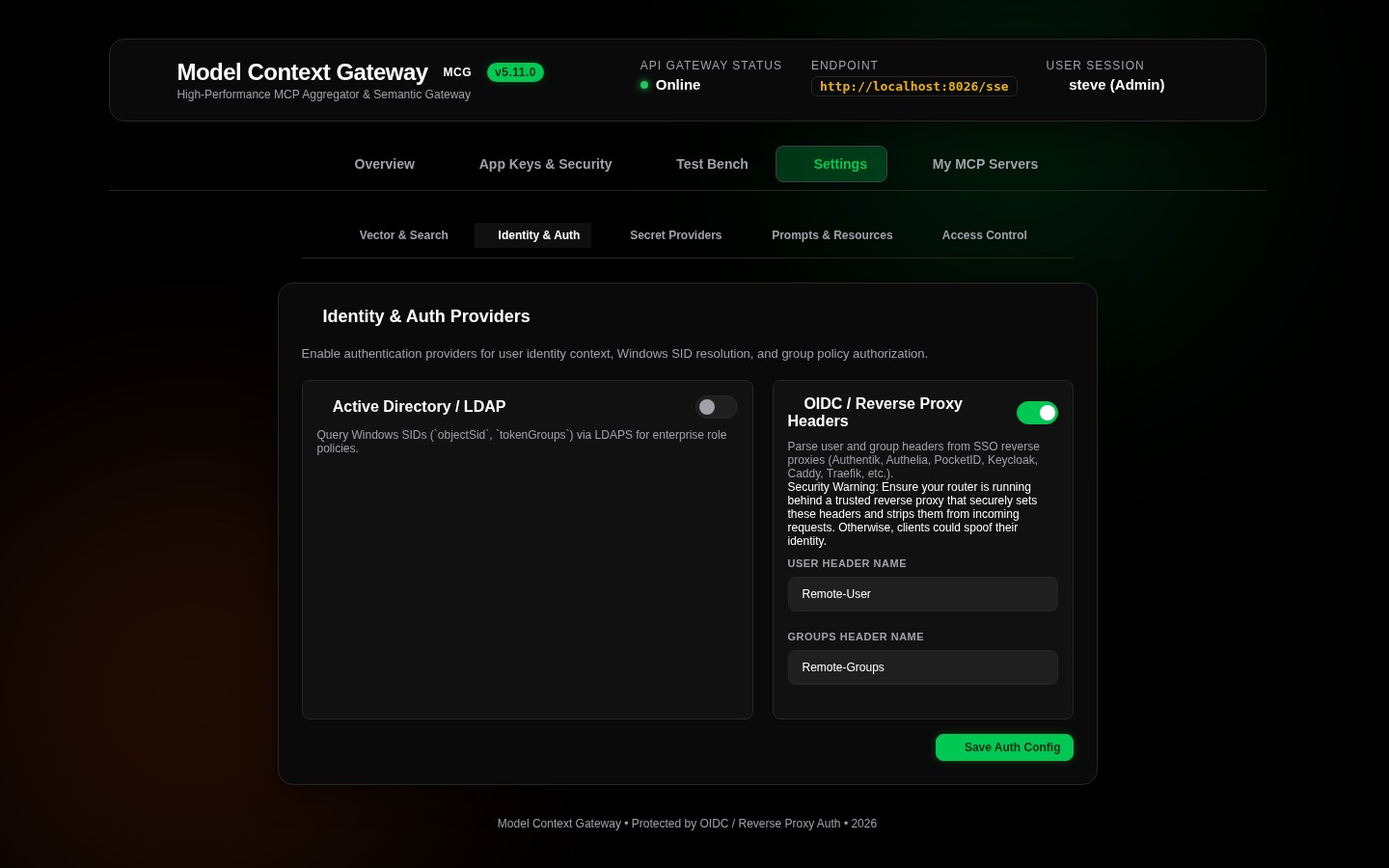
Manage how MCG authenticates incoming client connections and extracts identity claims:
1. Active Directory / Windows SID Provider
- Enable or disable native Windows Kerberos and NTLM token negotiation.
- Configure Domain Controller hostnames, Base DN paths, and service account credentials.
2. OIDC / Reverse Proxy Headers Provider
- Enable or disable forward-auth header extraction (Authentik, Authelia, PocketID, Keycloak, Traefik, Caddy, Nginx).
- Configure custom header names:
Remote-User,Remote-Groups,Remote-Email, andRemote-Name.
3. OpenIddict OAuth 2.0 Authorization Server
- Configure token lifetimes, including access token validity and refresh token rotation policies.
- Specify paths for X.509 signing certificates and encryption keys.
🔐 Tab 3: Secret Providers (SecretProvidersTab)
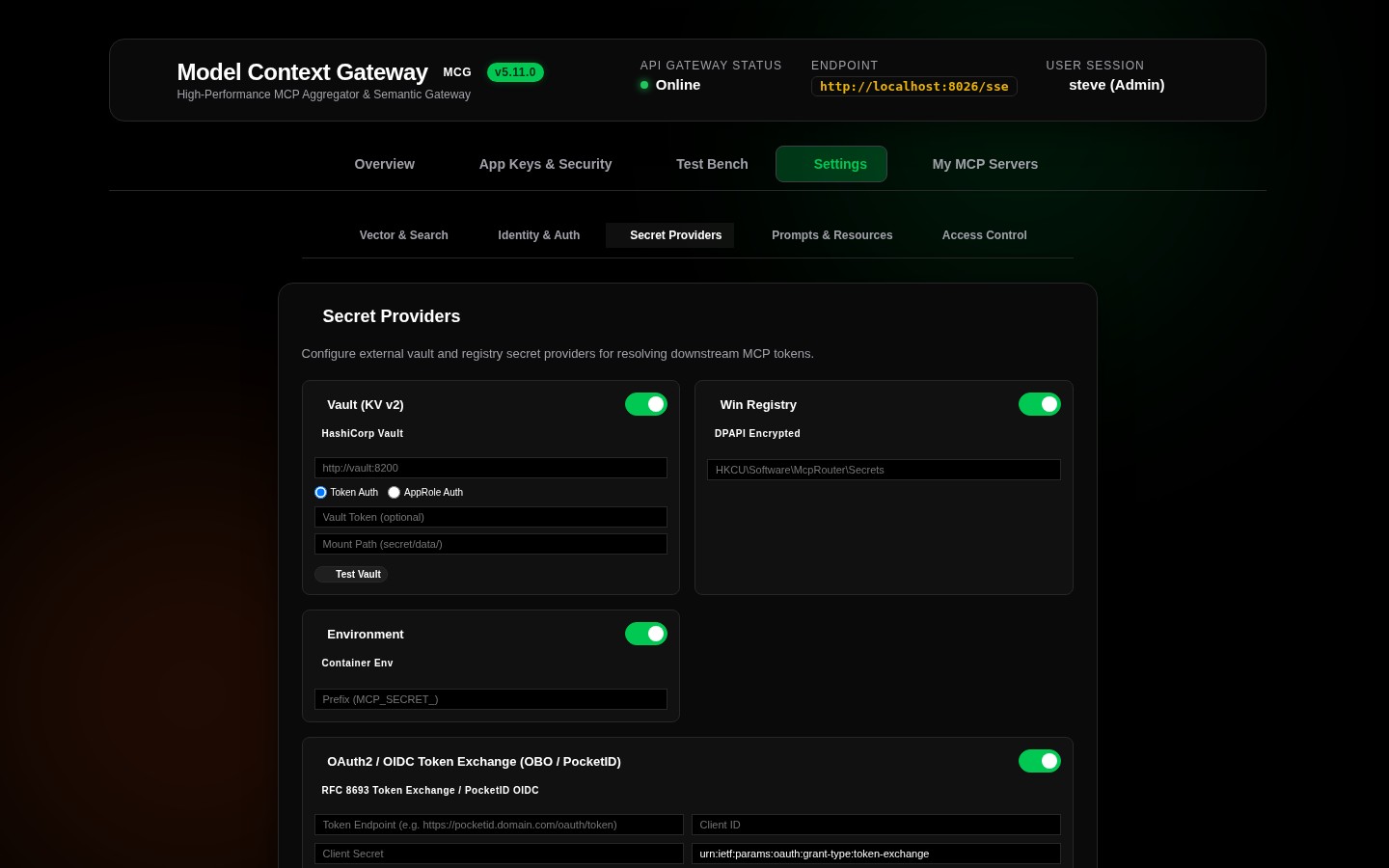
Configure external credential vaults that MCG queries at runtime:
- HashiCorp Vault KV v2: Configure Vault URL, AppRole credentials (
roleIdandsecretId), or direct Vault Token with automatic renewal. - Windows Registry: Configure base keys (
HKLM/HKCU) and paths for DPAPI-encrypted secrets. - Container Environment: Map host or container environment variables.
- OAuth 2.0 Token Exchange (RFC 8693 / PocketID): Configure downstream token delegation and impersonation.
📂 Tab 4: Prompts & Resources File Manager (CustomFilesTab)
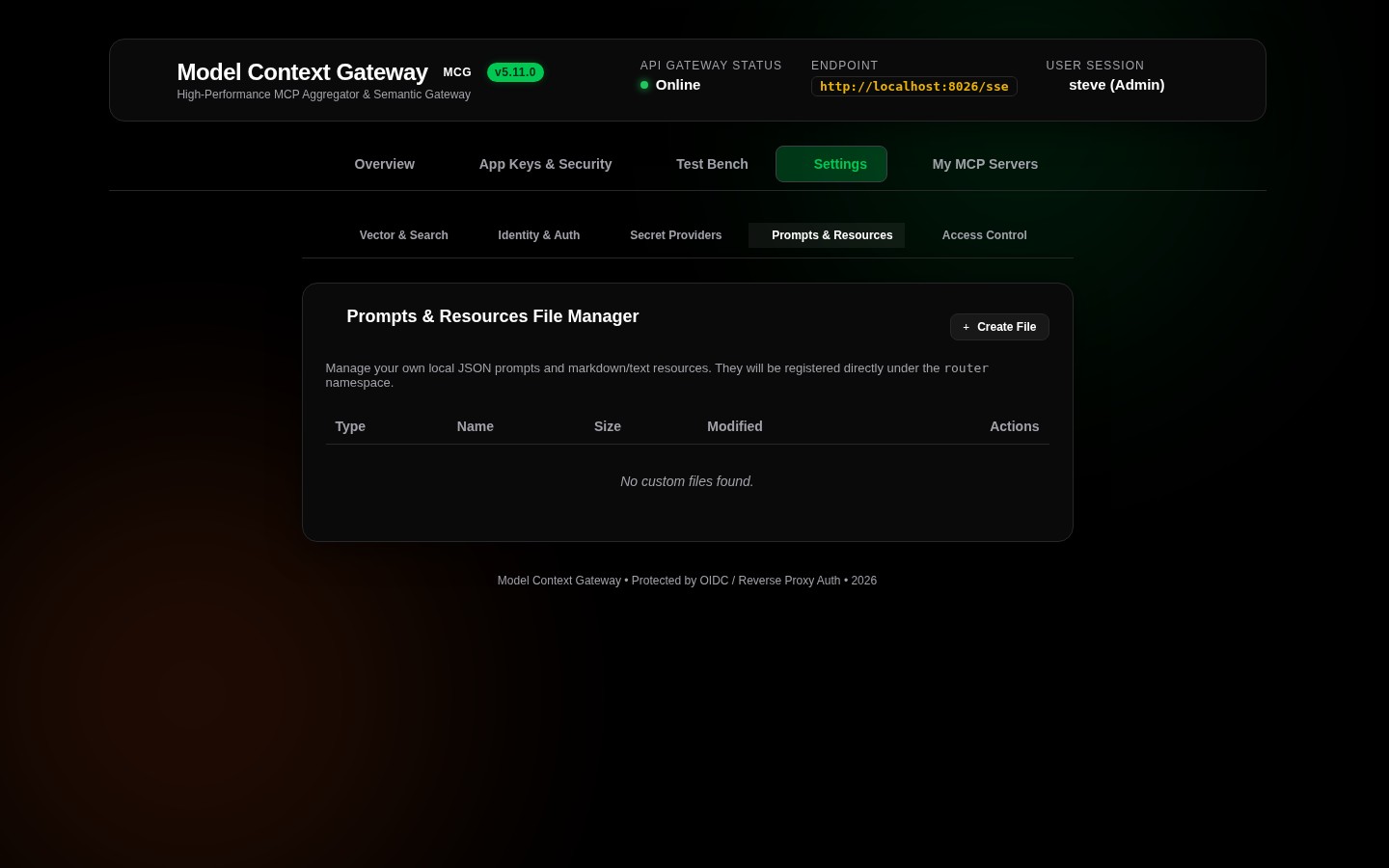
Create, edit, and manage custom JSON files that define virtual tools, prompt templates, and virtual resources:
- File Catalog Table: Displays registered specification files by filename, type (
Tools,Prompts,Resources), and last updated timestamp. - Interactive JSON Editor: Integrated Monaco/CodeMirror editor that validates JSON syntax before writing to disk or database.
- Hot Reloading: Saving changes immediately updates in-memory caches and triggers semantic vector re-indexing.
👥 Tab 5: Access Control & Group Mappings (AccessControlTab)
Configure fine-grained access rules and map external directory groups:
- Group Mappings Table: Maps external directory groups (e.g.
CN=IT-Admins,OU=Groups,DC=corporS-1-5-21-1001) to internal MCG roles (full_admin,user). - Server Policies Table: Central policy management matrix defining target identifiers (
server:docker,tool:docker__ps), required security groups, and evaluation modes (ALLOWorDENY).