
Raw JSON-RPC Console & Live Diagnostic Logs
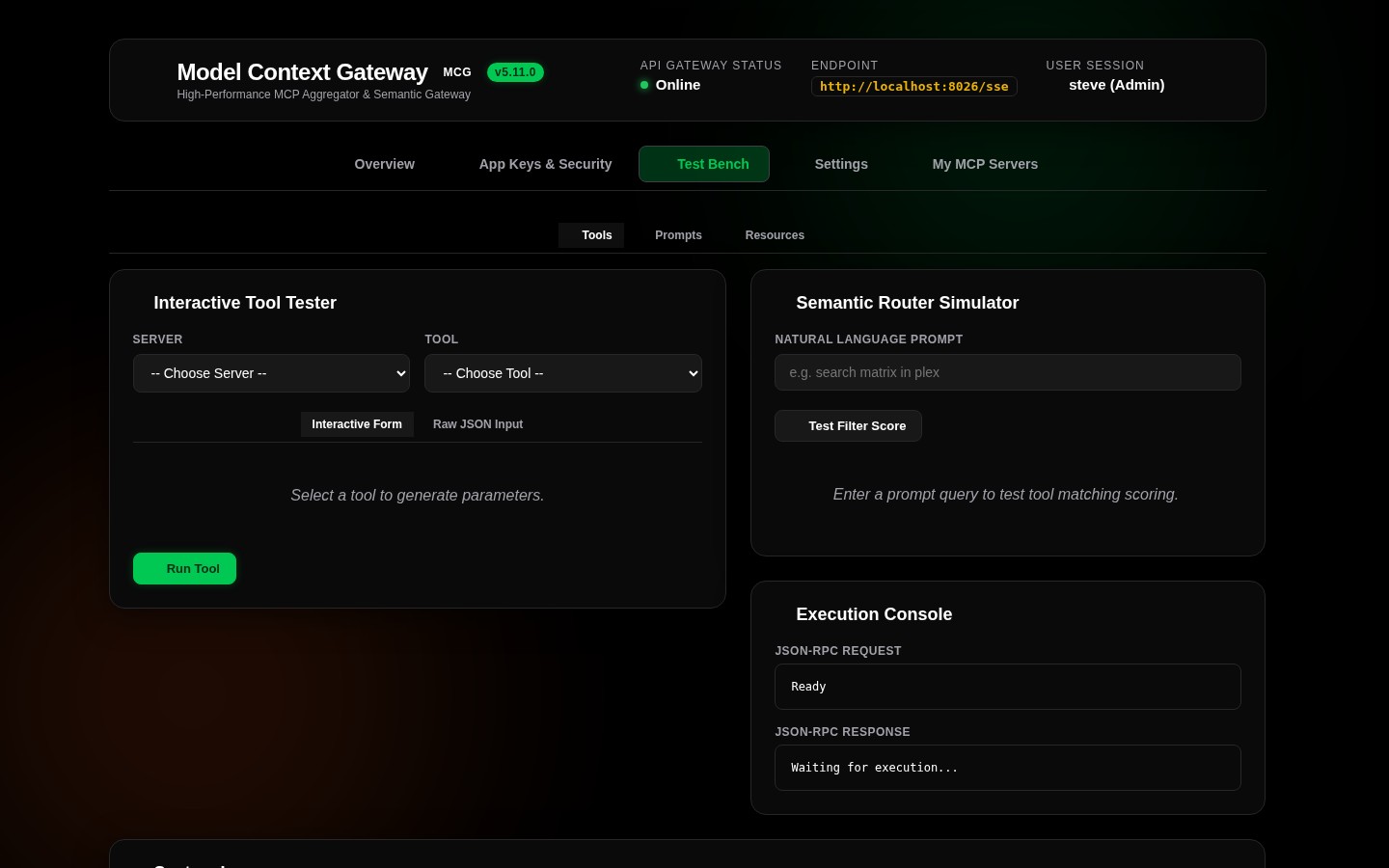
The Interactive Test Bench provides low-level debugging tools: the Direct JSON-RPC Raw Console for executing raw protocol payloads, and the Live Diagnostic Logs Terminal for real-time monitoring of gateway activity.
💻 1. Direct JSON-RPC Raw Console (ConsoleCard)
The Raw Console allows you to bypass the UI form builders and send exact JSON-RPC 2.0 messages directly to the gateway's routing engine:
Useful Raw JSON-RPC Payloads for Testing
1. Discover Meta-Mode Bootstrap Tools
Lists the initial tools advertised by the gateway (search_tools and execute_tool):
{
  "jsonrpc": "2.0",
  "id": 1,
  "method": "tools/list",
  "params": {}
}
2. Perform Dynamic Semantic Tool Search
Simulates an AI assistant searching for tools matching an intent:
{
  "jsonrpc": "2.0",
  "id": 2,
  "method": "tools/call",
  "params": {
    "name": "search_tools",
    "arguments": {
      "query": "find active database connections"
    }
  }
}
3. Execute Downstream Target Tool via Meta-Mode
Executes a target tool through Meta-Mode's wrapper:
{
  "jsonrpc": "2.0",
  "id": 3,
  "method": "tools/call",
  "params": {
    "name": "execute_tool",
    "arguments": {
      "name": "postgres__list_connections",
      "arguments": {}
    }
  }
}
📟 2. Live Diagnostic Logs Terminal (LogsTerminalCard)
The Live Logs Terminal sits at the bottom of the Test Bench view. It captures and streams internal gateway logs in real time as client sessions connect and execute tools:
[13:45:02.112] [INF] [McpSession:c8b4] Client authenticated as 'admin' via OIDC
[13:45:02.115] [INF] [McpSession:c8b4] Initialized Meta-Mode stream (2 tools)
[13:45:04.220] [INF] [ToolExecution] docker__restart_container invoked by admin
[13:45:04.262] [INF] [ToolExecution] docker__restart_container completed in 42ms
[13:45:10.512] [WRN] [HealthCheck] Backend 'plex' responded slowly (1250ms)
Key Terminal Capabilities
- In-Memory Ring Buffer: Logs are streamed from an in-memory ring buffer without burdening disk I/O.
- Automated PII Redaction: Sensitive data—including bearer tokens, passwords, and API keys—is automatically masked as
[REDACTED]before rendering. - Severity Filtering: Filter events dynamically by
ALL,INFO,WARN, orERRORlevels. - Auto-Scroll & Freeze: Pause automatic scrolling to inspect active log lines without losing incoming messages.
- Buffer Management: Reset the display using the Clear button or via REST call (
DELETE /api/logs).
💻 API & cURL Invocations for Logging
You can programmatically fetch or clear gateway logs from external scripts:
# Fetch recent diagnostic logs
curl -s http://localhost:8080/api/logs \
  -H "Authorization: Bearer <YOUR_APP_KEY>"

# Clear in-memory log buffer
curl -s -X DELETE http://localhost:8080/api/logs \
  -H "Authorization: Bearer <YOUR_APP_KEY>"