
Dynamic Tool Execution Tester
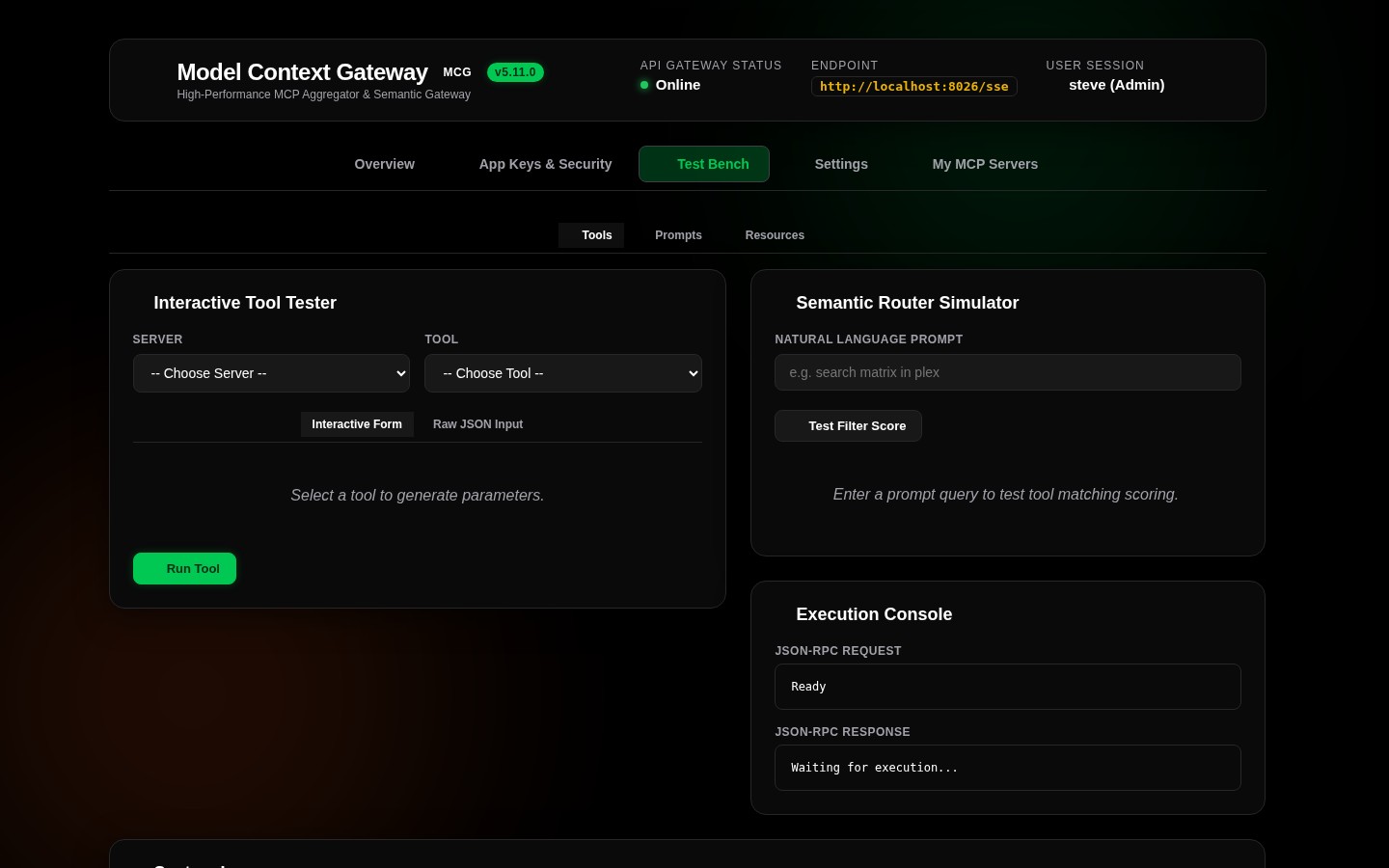
The Tool Execution Tester (ToolTesterCard) in the Test Bench enables administrators and developers to test downstream MCP tools directly through the web interface without connecting an external AI client or IDE.
🛠️ Tool Tester Interface & Layout
📋 How to Execute a Tool
- Select Target Server: Choose an active backend server from the dropdown (e.g.
docker,homeassistant,plex, orcustom). - Select Tool: Choose the desired tool from the server's discovered tool catalog. MCG fetches the tool's JSON Schema and automatically renders dedicated input fields.
- Configure Parameters:
- Booleans: Toggle with interactive checkboxes or switches.
- Strings & Numbers: Type values into formatted input boxes.
- Arrays & Complex Objects: Input valid JSON structures (e.g.
["app1", "app2"]or{"debug": true}).
- Optional - Raw JSON Mode: Toggle the Raw JSON Editor switch to edit the full parameter payload as a raw JSON object:json
{ "container_id": "homewebservice", "timeout": 30, "force": true } - Execute: Click Execute Tool. MCG passes the call through the 4-stage authorization pipeline, sends the request to the downstream server, and returns the response with round-trip execution latency (e.g.
200 OK - 42ms).
💻 API & cURL Invocations
The Test Bench interacts with two REST test endpoints exposed by MCG. Both endpoints accept authenticated POST requests:
1. Standard Invocation (POST /api/test/call)
Explicitly specifies the serverId and toolName:
bash
curl -X POST http://localhost:8080/api/test/call \
  -H "Authorization: Bearer <YOUR_APP_KEY>" \
  -H "Content-Type: application/json" \
  -d '{
    "serverId": "docker",
    "toolName": "docker__restart_container",
    "arguments": {
      "container_id": "homewebservice",
      "timeout": 30
    }
  }'
2. Alias Invocation (POST /api/test/call-tool)
Uses automatic unnamespaced name resolution to route the tool based solely on its namespaced identifier:
bash
curl -X POST http://localhost:8080/api/test/call-tool \
  -H "Authorization: Bearer <YOUR_APP_KEY>" \
  -H "Content-Type: application/json" \
  -d '{
    "name": "docker__restart_container",
    "arguments": {
      "container_id": "homewebservice"
    }
  }'