Local Paths and Vaults
The Local Paths view enables direct, zero-clone monitoring of local folders residing on the host server, such as Obsidian knowledge vaults, Architecture Decision Records (ADRs), monorepos, and scratch directories.
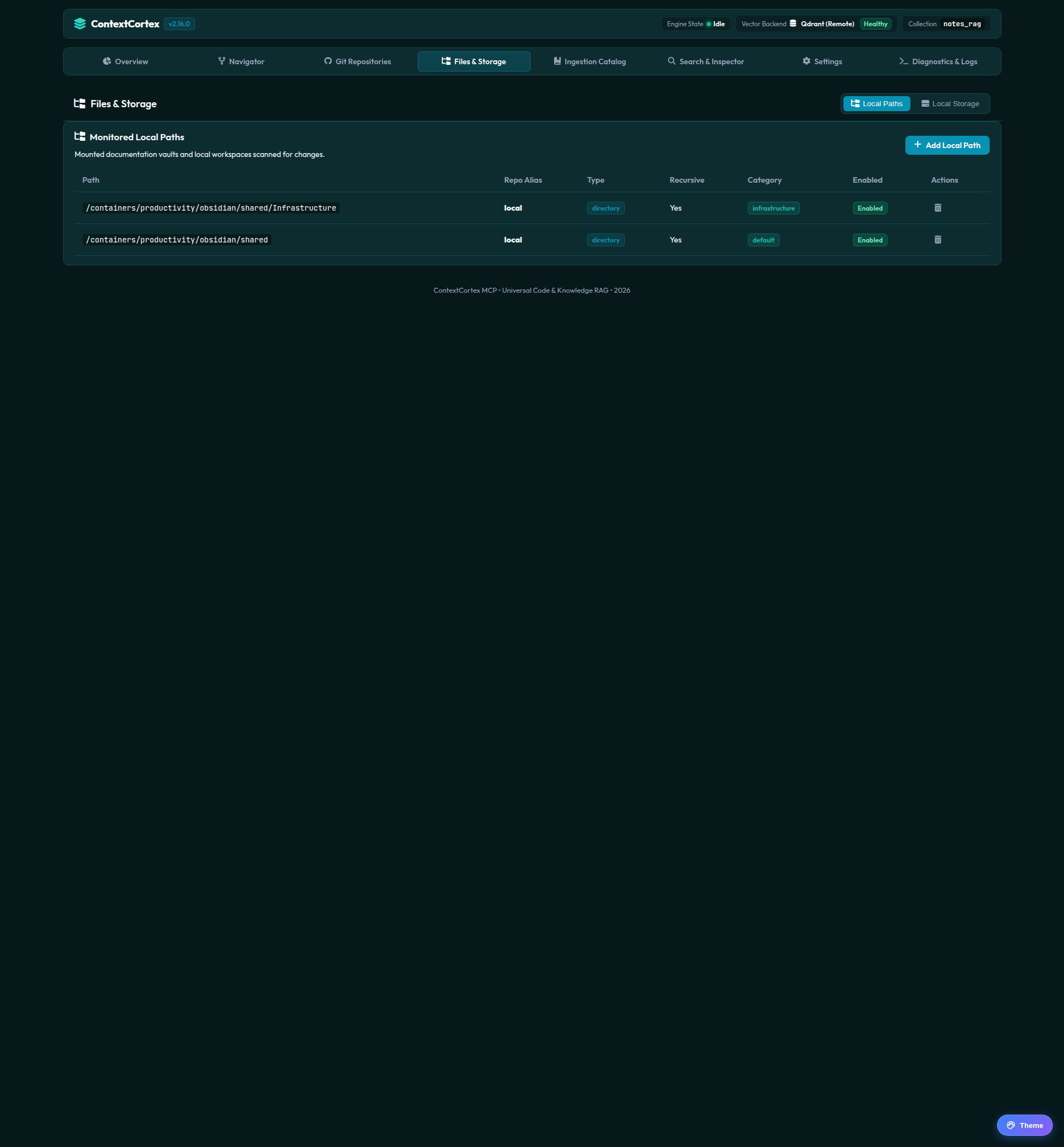
Registering a Monitored Local Path
Follow these steps to register a host directory:
- Navigate to the Local Paths tab in the dashboard.
- Click + Add Local Path.
- Target Directory: Enter the absolute filesystem path (e.g.
/containers/dev/vaults/obsidianor/home/user/workspace/docs). - Category Override: Assign a category name (e.g.
architecture,notes, orrunbooks) to organize search boundaries. - Recursive Toggle:
- Enabled: Automatically traverses and indexes all nested subfolders.
- Disabled: Indexes only files located in the root directory.
- Click Register Path.
File Watching & Incremental Ingestion
- Watchdog Daemon: Monitored paths are watched by an in-memory file observer daemon.
- Incremental Diffing: When files are modified, created, or deleted, ContextCortex re-indexes only the changed files rather than re-scanning the entire folder.
- ADR Synchronization: Markdown files located in
docs/adr/,docs/decisions/, or.adr/are automatically parsed into the structured Architectural Decision Records registry.
Next Steps
- Learn about file uploads and PDF handling in Managed Local Storage and PDF Ingestion.
- Configure vector database engines and credentials in System Settings and Model Discovery.