System Settings and Model Discovery
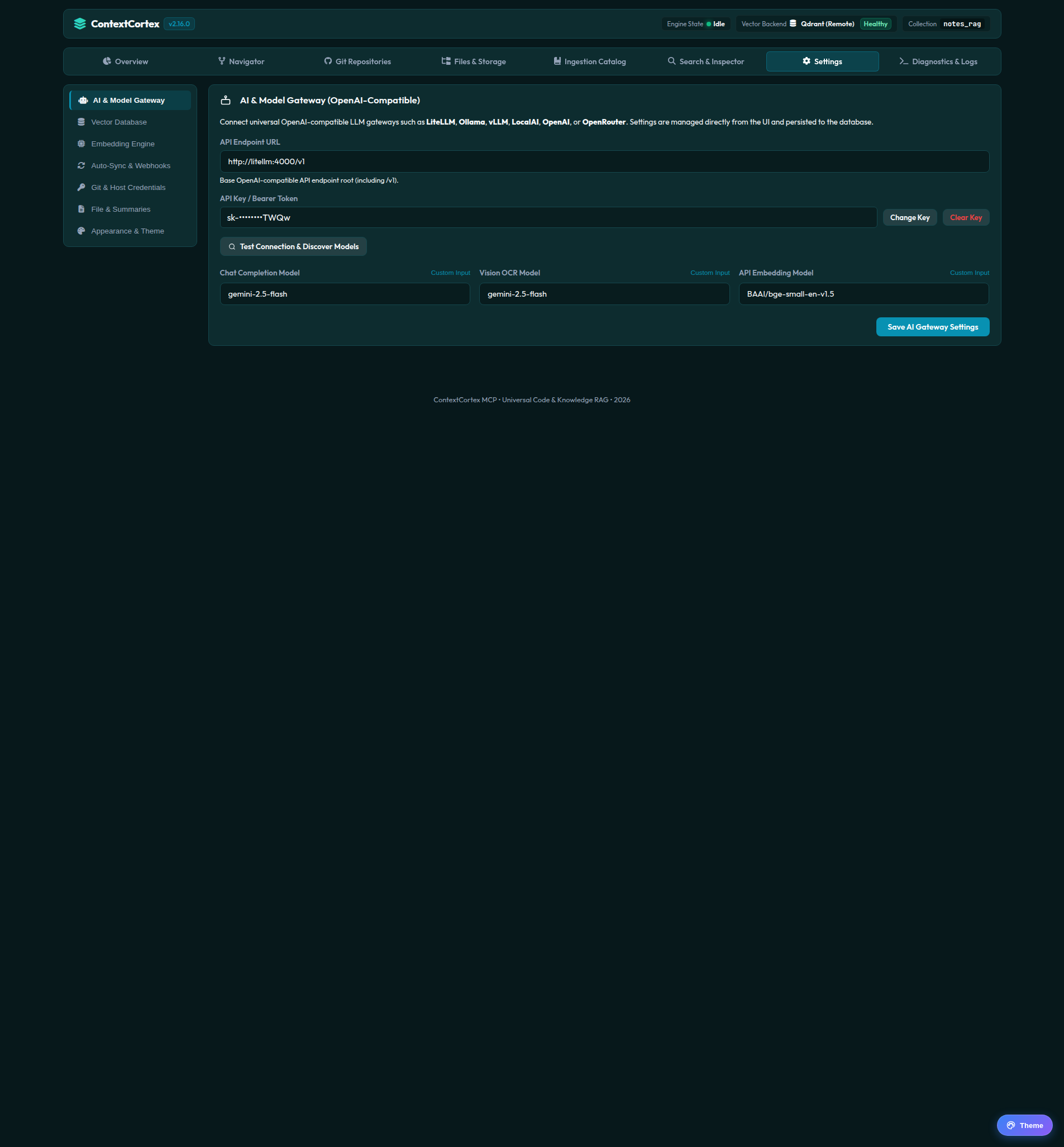
The Settings view allows administrators to manage vector database engines, embedding models, LiteLLM proxy discovery, file thresholds, and domain-level Git credentials.
1. Vector Database Management
ContextCortex supports dynamic switching between vector database engines:
- Supported Backends:
Qdrant(Recommended): High-performance embedded or remote vector database with native sparse BM25 payload support.pgvector: PostgreSQL 16 relational database with pgvector extensions.ChromaDB: Lightweight local or distributed vector store.
- Connection Testing: Click Test Connection to verify host connectivity, port reachability, and collection state before applying changes.
- Operating Modes: Toggle between Embedded (zero external dependencies) and Remote (external cluster or container).
2. LiteLLM Dynamic Model Discovery
When connected to an upstream LiteLLM proxy (LITELLM_URL), ContextCortex queries the model capabilities matrix dynamically and separates models into specialized categories:
- Embedding Models: Filtered by embedding capabilities (e.g.
BAAI/bge-small-en-v1.5,text-embedding-3-small). - Vision OCR Models: Multi-modal vision models used to perform automated OCR on diagrams and scanned pages in PDF uploads (e.g.
gemini-2.5-flash,qwen3-vl). - Chat & Summarization Models: Reasoning models used to generate structured executive summaries for large files (e.g.
gemini-2.5-flash,gpt-4o-mini).
3. Files & Large File Summarization Settings
Configure file access ceilings and LLM summarization thresholds:
| Setting | Default | Description |
|---|---|---|
| Enable Large File Summarization | true | When enabled, files larger than the threshold are auto-summarized rather than omitted or raw-chunked. |
| Auto-Summarize Threshold (KB) | 500 KB | File size threshold beyond which ingestion triggers automated LLM summarization. |
| Maximum File Size (MB) | 10 MB | Absolute hard ceiling above which files are skipped entirely. |
| Max Lines Per Read | 2,000 lines | Line range ceiling returned by the read_file tool to protect agent context windows. |
| Summary Chat Model | gemini-2.5-flash | Dedicated LLM model identifier used for generating executive file summaries. |
4. Git Host Credential Vault
Store domain-level credentials for internal and enterprise Git instances:
- Scroll to the Git Host Credentials table.
- Click + Add Host Credential.
- Host Domain: Enter the domain name (e.g.
gitlab.internal.company.comorgit.selfhosted.net). - Auth User & Token: Enter the service user and personal access token (PAT).
- All repositories matching that host domain inherit these credentials automatically without needing individual tokens.
Next Steps
- Inspect system health and operational traces in Diagnostics and System Logs.
- Customize dashboard palettes in Appearance and Theme Customization.